73 GB/MT
Tip: keep the MIN / MAX button
7
pressed. This allows you to make the
settings faster. If you do not press any
button for 60 seconds, the LC display auto-
matically reverts to the standard display.
Press the “SET” button
6
briefly again
to begin setting the minutes. The minutes
in the “TIME” display
2
flash.
Press the MIN / MAX button
7
to set the
minutes.
Press the “SET” button
6
briefly again
to confirm the set time.
Note: the set time is also confirmed if no
button is pressed in a space of 60 seconds.
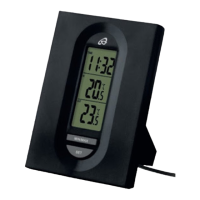
Note: the thermometer now displays the
current time under “TIME”
2
, the inside
temperature “IN”
3
and the outside
temperature “OUT”
4
.
Q
Troubleshooting
Note: the device contains sensitive electronic
components. It is therefore possible that radio


 To Next Page