6
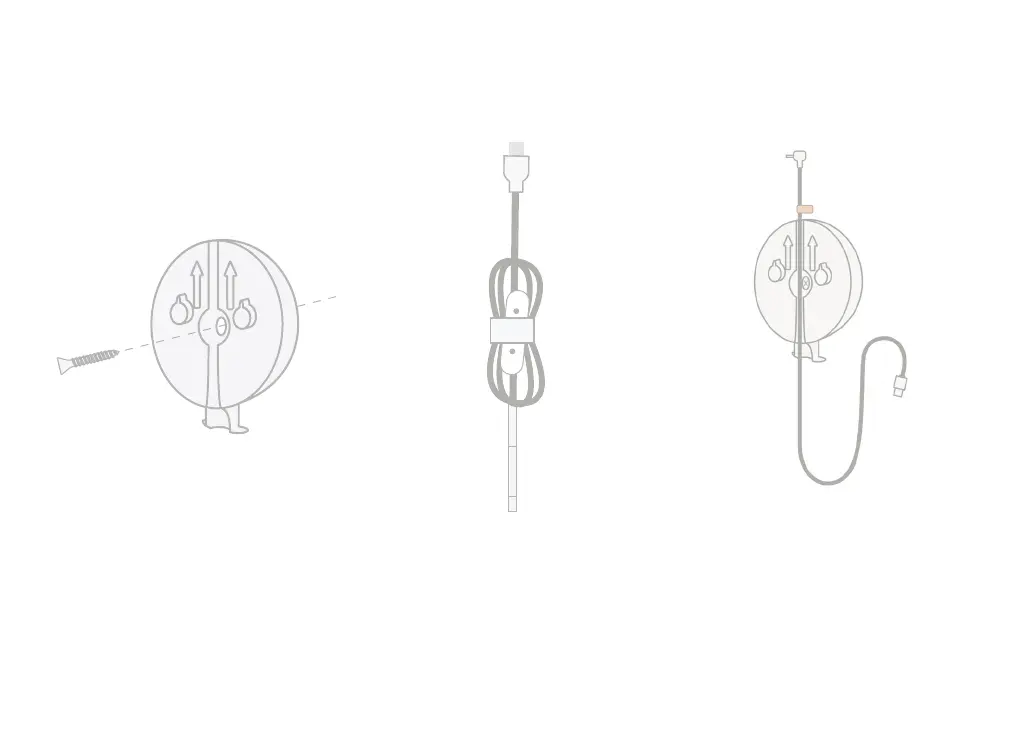
3 Unwind the cable 4 Thread the cable
Remove the cable wraps and
unwind the cable.
Thread the cable down the channel
of the mounting plate, aligning the
orange sticker on the cable to the top
of the mounting plate.
2 Align and fasten
Align the center hole of the mounting
plate with the mark you’ve made on
the wall. Using the provided screw,
fasten the mounting plate to the wall
with the arrows pointing upward.
sticker


 To Next Page