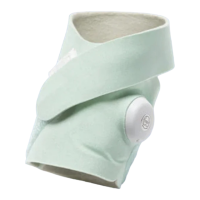
CAUTION. Do NOT place Dream Sock in any position that might cause it to fall on the baby. Injury could occur.
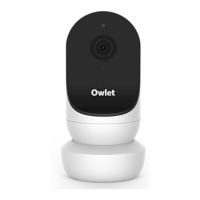
If a single location cannot fulfill all of these requirements, the Base Station may need to be moved during the day.
5.2 Set Up the Owlet Dream App
The Owlet Dream App communicates with the Base Station using your home wireless network. The App displays readings, status
messages and notification information and is a vital part of Dream Sock.
The Owlet Dream App allows you to:
● See real-time readings* and status of baby
● Receive notifications
● See and modify the baby’s sleep history
● Track baby’s sleep quality
*Requirements: Dream Sock requires access to a device with iOS 13.0 or later or Android™ 7.0 or later with the Owlet Dream App
downloaded; minimum OS versions apply, see app stores for details.
NOTE: Contact Owlet Baby Care, Inc. customer support for assistance in setting up, using or maintaining the Dream Sock
system, or to report unexpected performance and operational issues.
NOTE: The Sensor comes inserted in one of the small Sock sizes. Initial hardware and App setup may be completed using this
configuration. Correct Sock size selection should be verified before actual use.
Download the Owlet Dream App
Before proceeding, download and install the Owlet Dream App. The App will guide you step by step through setup.


 To Next Page