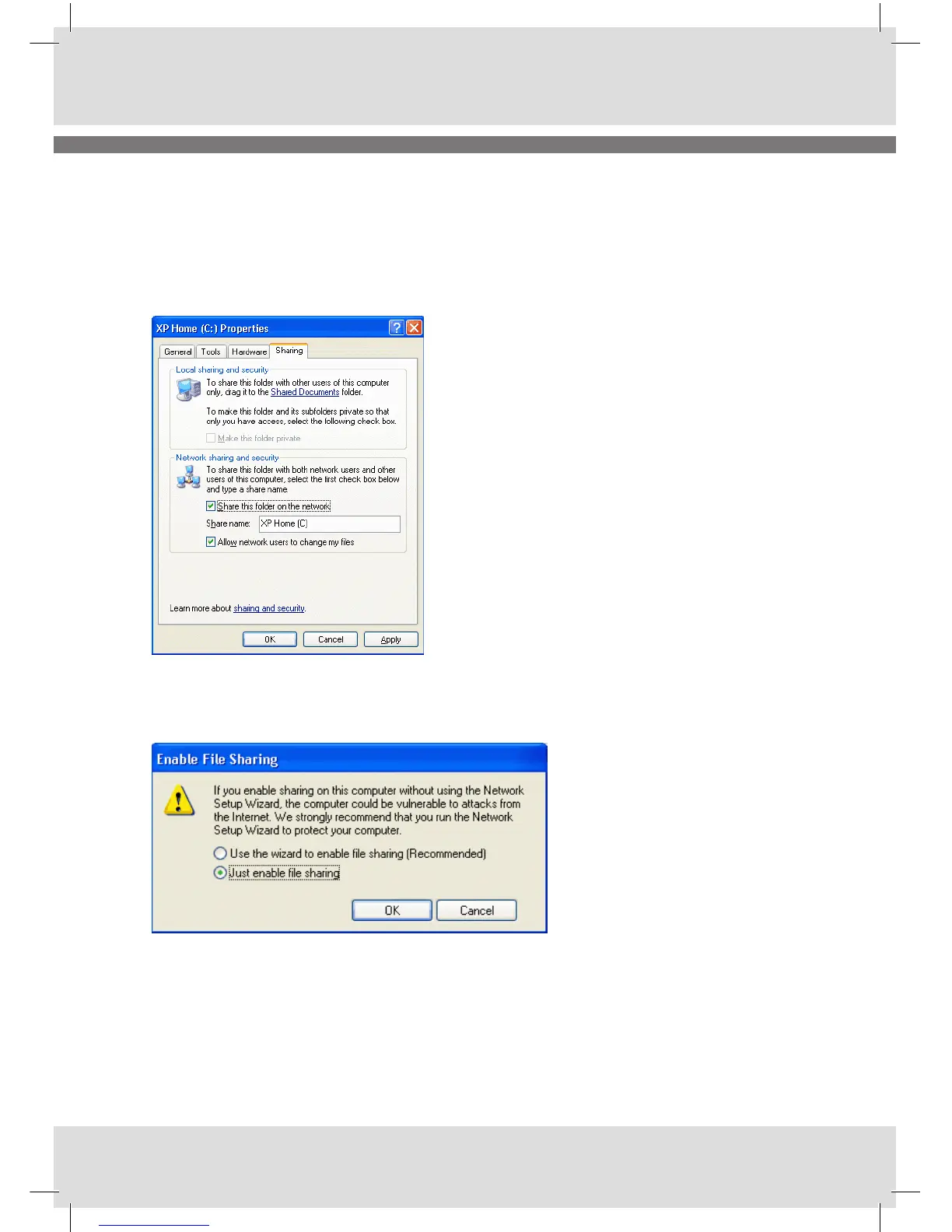
The disk or folder and its underlying subfolders that you are sharing will be accessible to other net-
work users. If you are sharing an entire disk, Windows XP gives you a warning. The implication of the
warning is that it is better to share only a specific folder, since only that folder (and its subfolders) will
be accessible to others, whereas the rest of the disk will be inaccessible.
The first time you set up sharing, Windows XP displays a warning, urging you to use the Network Setup
Wizard for safety. Click where indicated to either run the Wizard or to do it yourself. It is up to you what
you prefer, but we suggest doing it yourself since it is more powerful than using the wizard.
Windows XP displays a new warning. If you want the firewall enabled, select Use the wizard to enable
file sharing. Otherwise, select Just enable file sharing.



 To Next Page