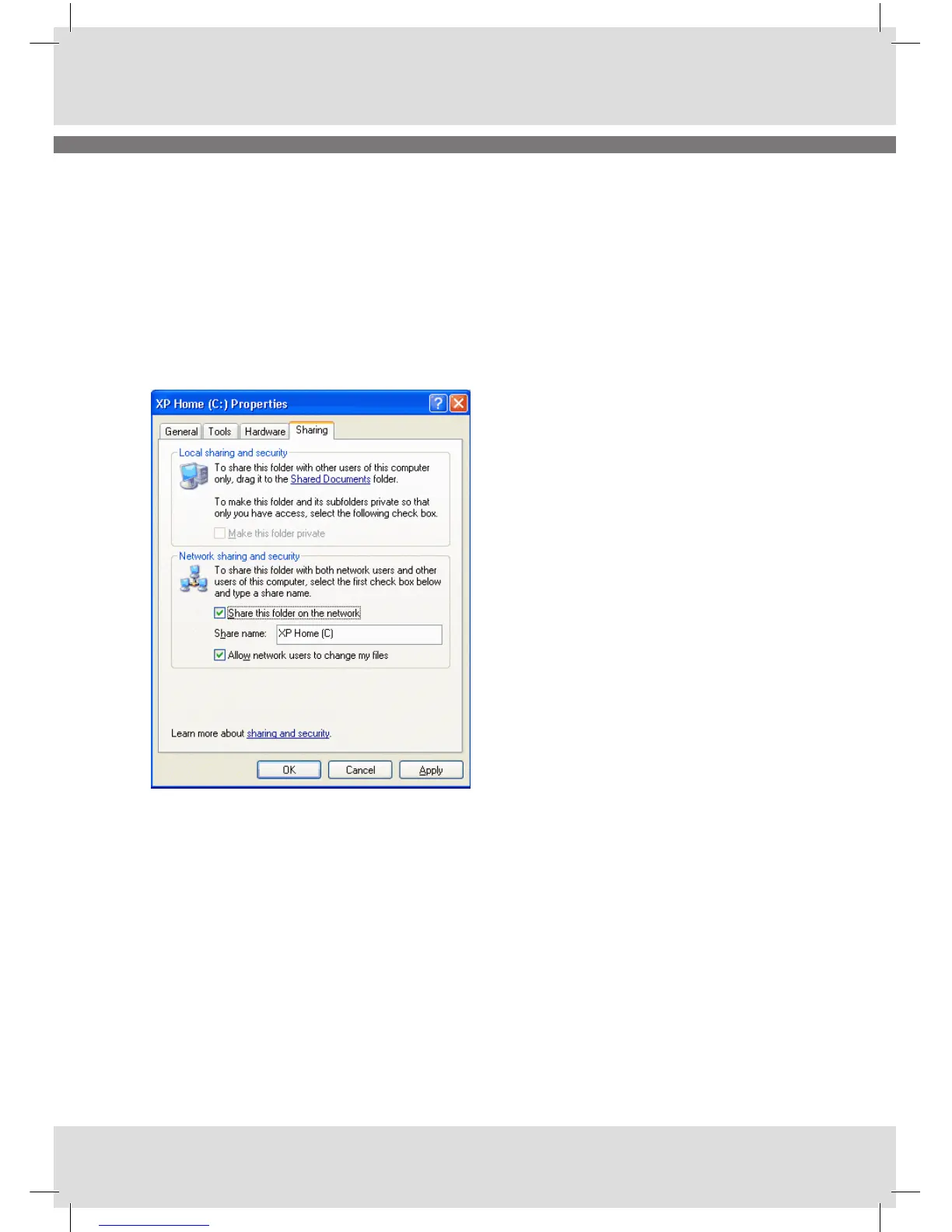
For each selected folder you are planning to share, you will see a properties window as showed below.
Here you have the option of specifying share name and allowing other users to change the files etc.
Are you running the XP Pro version of Windows, the screen will show more “enable/disable” security
options, such as number of users allowed to access the folder, allow read/write only etc. For the major
part just keep these options default if you are not an experienced user.
When you have selected “Share this folder on the network” and specified a share name, you can go
ahead and click OK. Now the folder is shared and will change the folder icon into
Note:
By default, users on other computers have full access to shared folders: This means they can read,
write, and delete shared files. If you want them to be able only to read files, you should un-check the
box Allow network users to change my files.
To access the share function on your internet radio you should enter the following menus:
<Main menu> <Music Player> <Shared files>
VISTA Simple File Sharing
Please find the necessary information by following the below link:
http://technet.microsoft.com/en-us/library/bb727037.aspx



 To Next Page