EasyManua.ls Logo

Ozeri ZB18 - User Manual

Ozeri ZB18
14 pages
Print Icon
To Next Page IconTo Next Page
Loading...
Ozeri PRECISION
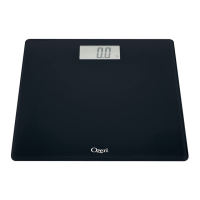
Digital Bathroom Scale
User Manual
Model: ZB18
(Model # may vary by color)
Question and Answer IconNeed help?

Do you have a question about the Ozeri ZB18 and is the answer not in the manual?

Summary

Important Safety and Usage Guidelines

Scale Calibration and Stable Readings

Ensures reliable readings by keeping feet in the same place and understanding auto-calibration.

Weight Variation and Handling

Notes weight variability due to factors and advises careful handling to prevent damage.

Capacity and Serviceability

States maximum weight capacity and that the product contains no user-serviceable parts.

Product Care and Environment

Usage and Cleaning

Intended for home use; clean with damp cloth, avoid solvents and water immersion.

Placement and Storage

Avoid carpets, uneven surfaces; store in clean, dry, room temp location away from chemicals.

Battery Precautions

Do not store items on scale to prevent battery drain; do not dispose of batteries in fire.

Product Specifications

Platform and Units

Tempered glass platform (11.8x11.8 inches); supports lbs, kg, and st units.

Weight Capacity and Graduation

Max capacity 440 lbs/200 kg; min capacity 13.2 lbs/6 kg; graduation 0.2 lbs/0.1 kg.

Power and Indicators

Powered by 2 AAA batteries; features Auto On/Off and Low Battery Indicator ('Lo').

Sensors and Tare Function

Equipped with 4 high precision sensors; includes Tare button for weighing objects.

Battery Installation

Inserting Batteries

Insert 2 AAA batteries into the compartment, ensuring correct +/- orientation for operation.

Using the Scale

Scale Calibration and Placement

Scale auto-calibrates when moved; place on flat, dry surface, avoid carpets.

Weighing Process

Step on scale to activate InstaOn™; wait for calculation; scale turns off automatically.

Tare Functionality

Activating Tare Mode

Activate by stepping on scale, then press/hold Unit button for 3 seconds; 'Tare' icon appears.

Weighing with Tare

Weigh yourself, then infant/pet; scale displays infant's weight then returns to your weight.

Unit of Measurement

Changing Measurement Units

Use the Unit switch underneath the scale to change between lbs, kg, and British stones.

Troubleshooting Guide

Common Issues and Solutions

Addresses battery polarity, scale placement, low battery ('Lo'), and error ('Err') indications.

Warranty Information

Warranty Coverage and Exclusions

Covers defects for 1 year; excludes damage from accident, misuse, improper maintenance, or commercial use.

Customer Service Contact

Provides Ozeri Customer Service phone number and email for support inquiries.

Summary

Important Safety and Usage Guidelines

Scale Calibration and Stable Readings

Ensures reliable readings by keeping feet in the same place and understanding auto-calibration.

Weight Variation and Handling

Notes weight variability due to factors and advises careful handling to prevent damage.

Capacity and Serviceability

States maximum weight capacity and that the product contains no user-serviceable parts.

Product Care and Environment

Usage and Cleaning

Intended for home use; clean with damp cloth, avoid solvents and water immersion.

Placement and Storage

Avoid carpets, uneven surfaces; store in clean, dry, room temp location away from chemicals.

Battery Precautions

Do not store items on scale to prevent battery drain; do not dispose of batteries in fire.

Product Specifications

Platform and Units

Tempered glass platform (11.8x11.8 inches); supports lbs, kg, and st units.

Weight Capacity and Graduation

Max capacity 440 lbs/200 kg; min capacity 13.2 lbs/6 kg; graduation 0.2 lbs/0.1 kg.

Power and Indicators

Powered by 2 AAA batteries; features Auto On/Off and Low Battery Indicator ('Lo').

Sensors and Tare Function

Equipped with 4 high precision sensors; includes Tare button for weighing objects.

Battery Installation

Inserting Batteries

Insert 2 AAA batteries into the compartment, ensuring correct +/- orientation for operation.

Using the Scale

Scale Calibration and Placement

Scale auto-calibrates when moved; place on flat, dry surface, avoid carpets.

Weighing Process

Step on scale to activate InstaOn™; wait for calculation; scale turns off automatically.

Tare Functionality

Activating Tare Mode

Activate by stepping on scale, then press/hold Unit button for 3 seconds; 'Tare' icon appears.

Weighing with Tare

Weigh yourself, then infant/pet; scale displays infant's weight then returns to your weight.

Unit of Measurement

Changing Measurement Units

Use the Unit switch underneath the scale to change between lbs, kg, and British stones.

Troubleshooting Guide

Common Issues and Solutions

Addresses battery polarity, scale placement, low battery ('Lo'), and error ('Err') indications.

Warranty Information

Warranty Coverage and Exclusions

Covers defects for 1 year; excludes damage from accident, misuse, improper maintenance, or commercial use.

Customer Service Contact

Provides Ozeri Customer Service phone number and email for support inquiries.

Ozeri ZB18 Specifications

General IconGeneral
TypeDigital Bathroom Scale
Capacity400 lbs / 180 kg
Unitslb, kg, st
DisplayLCD
Platform MaterialTempered Glass
Auto On/OffYes
Weight Increments0.2 lbs / 0.1 kg
Power SourceBattery
Platform Dimensions12 x 12 inches
Weight3.5 lbs

Related product manuals