4. CONTROL PANEL
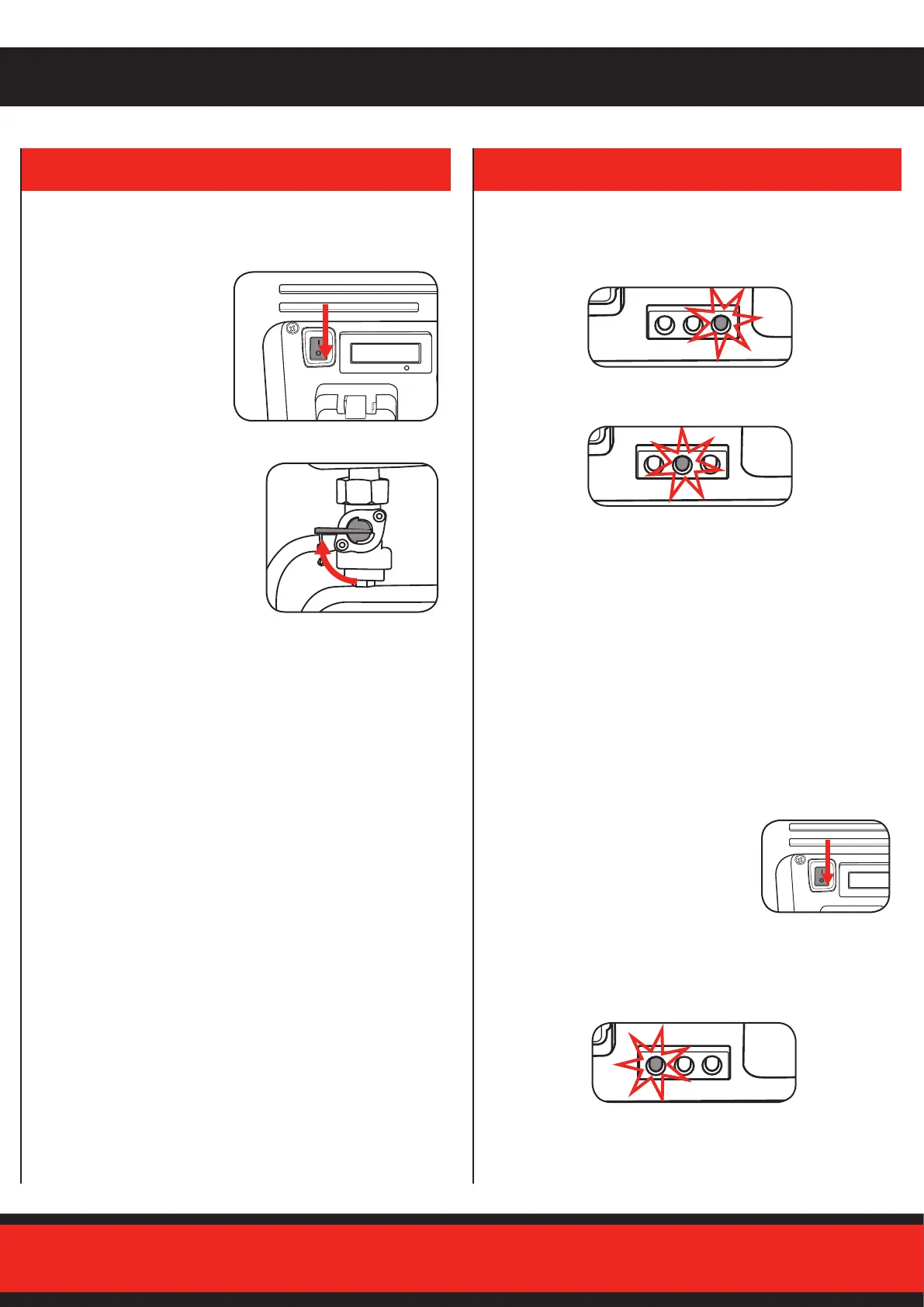
Stopping the Engine
Beforestoppingtheengine,turnoanyequipment.
2. Fortransportorstorage,turnthe
fueltaptotheOFFposition.
1. Switchoengineby
moving the engine switch
to the OFF position.
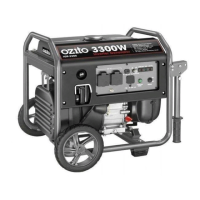
Run Indicator LED
• ThepowerindicatorLED(green)illuminateswhenpoweris
available to outputs.
• Ifthegeneratorisoverloadedorifthereisashortintheconnected
appliance,theoverloadindicatorLED(red)willgoONandcurrent
totheconnectedappliancewillbeshuto.TheoutputindicatorLED
(green)willturno.ThepowerindicatorLED(green)illuminates
when power is available to outputs.
• Substantial overloading that continuously lights the overload
indicatorlight(red)maydamagethegenerator.Marginal
overloadingthattemporarilylightstheoverloadindicatorLED(red)
mayshortentheservicelifeofthegenerator.Stoptheengineif
theoverloadindicatorlight(red)switchesONandinvestigatethe
overload source.
Overload Indicator LED
Low Oil Indicator LED
• The oil indicator is designed to prevent engine damage caused by
aninsucientamountofoilinthecrankcase.
• Iftheoillevelbecomeslowwhileoperating,thegeneratorwill
automaticallyswitchotopreventdamage.
• IftheoilindicatorLED(yellow)comeson,addengineoil.
Overload Reset
Iftheoverloadswitchhastrippedandcutsothepower,besurethat
allappliancesareingoodworkingorderbeforeconnectingthemto
thegenerator.Ifanappliancebeginstooperateabnormally,becomes
sluggish,orstopssuddenly,turn“OFF’thegenerator.
1. Disconnect the appliance and push the
engineswitchintotheoposition.
2. Start the generator as described in
“Starting the engine” section.
3. Rettheappliance,iftheOverloadtripsagainthentheequipment/
appliance needs to be checked.


 To Next Page