!
!
13
OPERATION (cont.)
Sawing – Square Blade
CAUTION: Clamp your workpiece securely if possible before commencing
your work.
NOTE: Ensure your blades are not blunt or damaged in any way before
commencing your application.
1. In sawing mode, the Multi Function Tool can be used on wood, plastics and
sheet metal.
2. Slide the on/off switch (1) forward to the “on” position. Ensure it is not placed
on the workpiece.
3. Select the desired oscillation frequency speed on
the variable speed dial (5) and wait until the
motor reaches its maximum speed
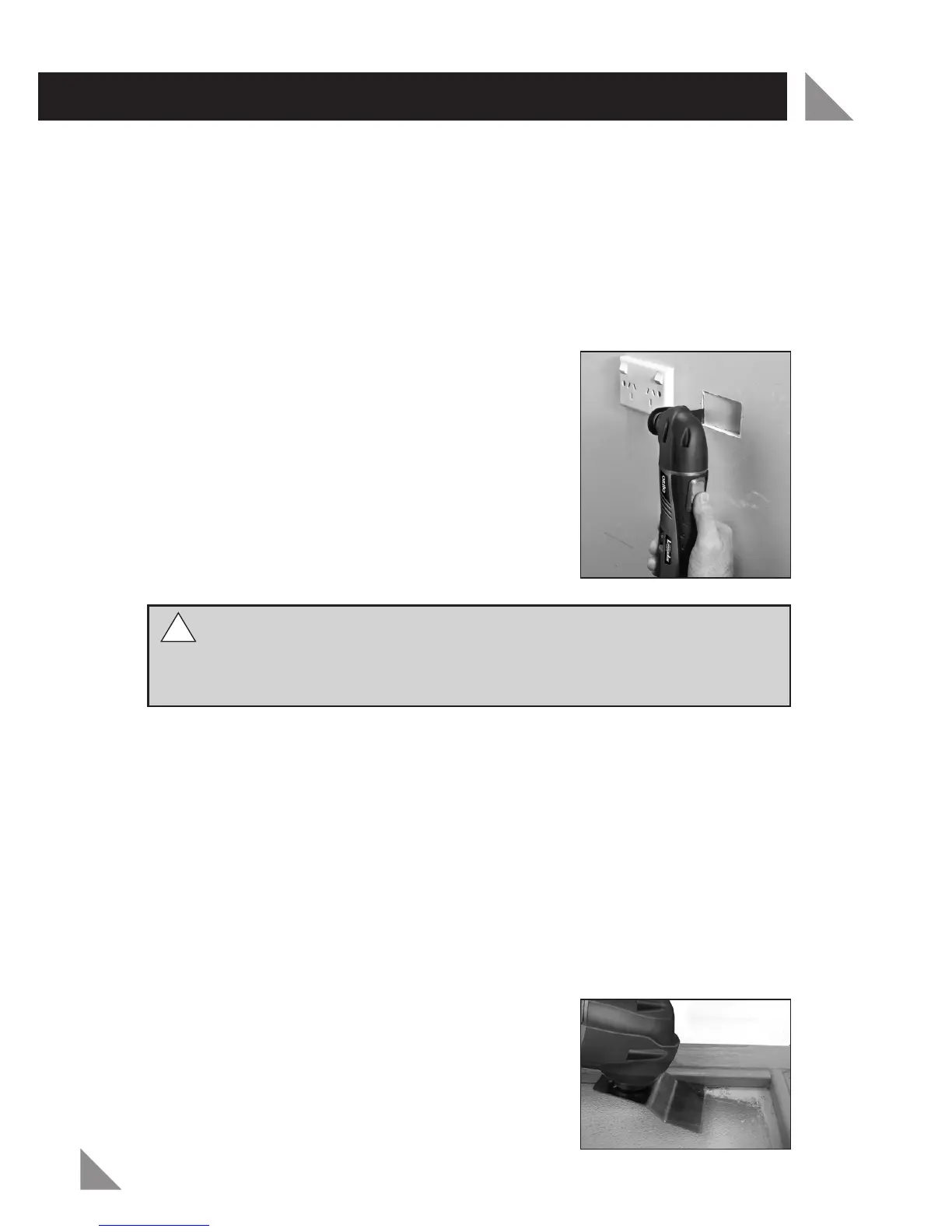
4. If plunging use a slight pendulum motion, to
allow sufficient chip or debris removal (Fig. 11).
NOTE: If using the Multi Function Tool for plunge
cuts. Only use this application on soft materials
such as wood or gypsum plaster boards. Also
check if there are no nails or screws in the
workpiece before cutting.
WARNING!
If installing power points, please ensure all electricity is
switched off at the fuse box prior to work commencing. It is important to
seek the advice of a licensed electrician when conducting any work around
the home which involves electricity.
Scraping
NOTE: The scraping blade is designed for scraping surfaces and the removal
of soft materials. Ensure you have the correct angle and only apply light
pressure to avoid cutting the surface.
1. In scraping mode the Multi Function Tool can be used to remove materials
such as fabrics, adhesives and vinyls on materials such as wood, plastic, metal
and painted surfaces.
2. Slide the on/off switch (1) forward to the “on” position. Ensure it is not placed
on the workpiece.
3. Select the desired oscillation frequency speed on the variable speed dial (5)
and wait until the motor reaches its maximum speed.
4. Place the Multi Function Tool on the workpiece.
Ensure you have angled the scraper blade
correctly (Fig. 12).
5. Allow the scraper to do the work and do not
apply heavy pr
essur
e on the Multi Function Tool.
Heavy pr
essur
e can cut into the sur
face or
overload the Multi Function T
ool.
Fig. 11
Fig. 12


 To Next Page