-7-
AIO-OZONE Installation & Programming Guide
AIO Controller - Ozone Programing Settings Continued
Step 10
CLOCK
NEXT
UP DOWN
REGEN
TIMESET
SOFTENING
FILTERING
REGEN
TODAY
NORMAL
GAL
MIN
x1000
NOR
CAPACITY
BACKWASH
REMAINING
PAM
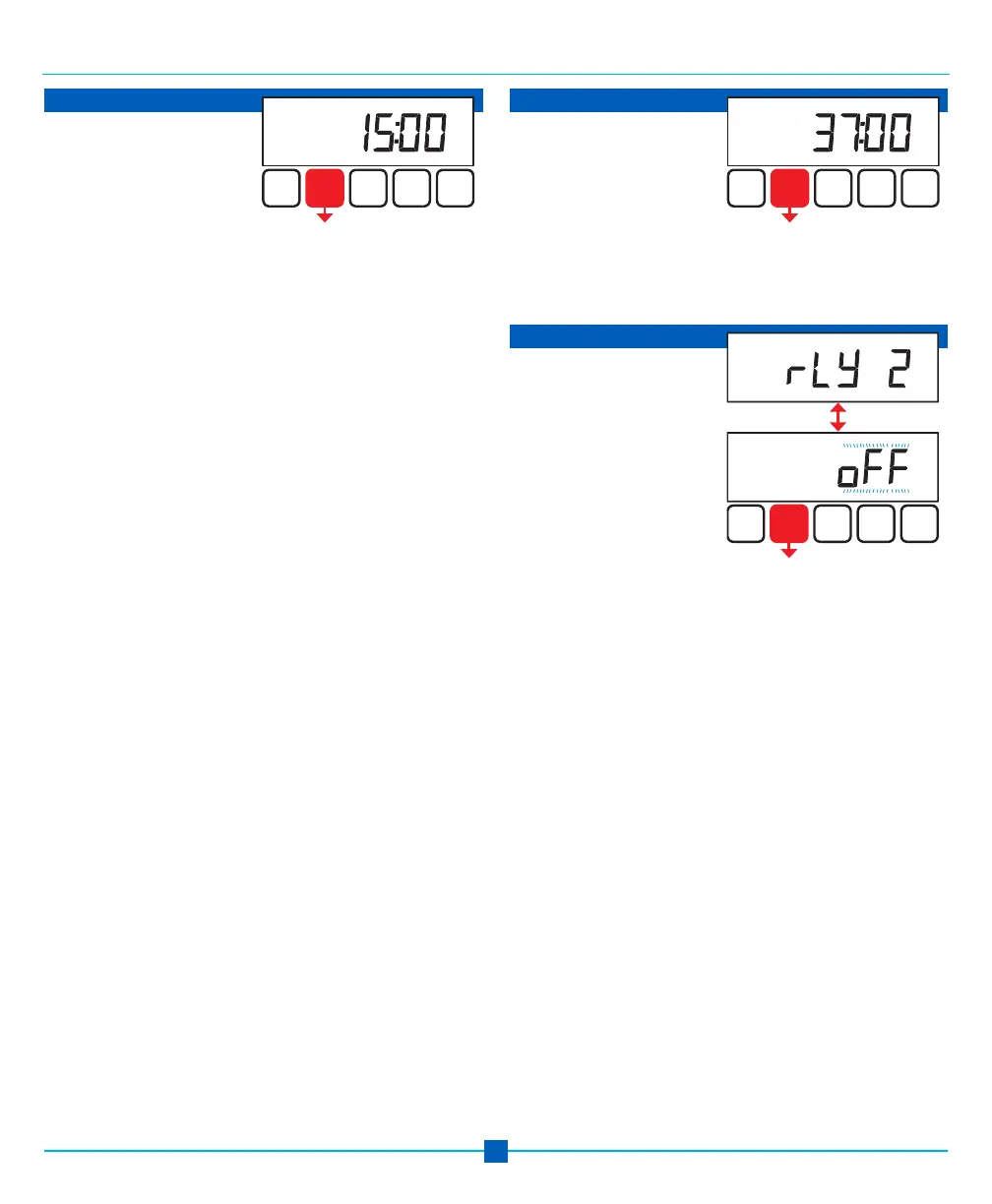
Step 10 sets Relay
Actuation Time, when the
EOG unit turns on.
Relay activates after the
beginning of regeneration
cycle and then deactivates after a set period of time. The
start of the regeneration is defined as the first backwash
cycle or DN brine cycle, whichever comes first.
Set for 15 minutes or 1 minute after the time set in
Step 3. This means the relay will turn on the EOG unit
1 minute after the air/ozone draw starts.
Use UP or DOWN to set RELAY 1 to 15.
Press NEXT to go to Step 11.
Press REGEN to return to previous step.
Step 11 indicates the length
of time the EOG unit is
activated.
Use UP or DOWN to adjust
the amount of time to 37:00
minutes.
Press NEXT to go to Step 12.
Press REGEN to return to previous step.
Step 11
CLOCK
NEXT
UP DOWN
REGEN
TIMESET
SOFTENING
FILTERING
REGEN
TODAY
NORMAL
GAL
MIN
x1000
NOR
CAPACITY
BACKWASH
REMAINING
PAM
Step 12 alternates between
the two displays shown.
Use UP or DOWN to set
RELAY 2 to OFF.
Press NEXT to EXIT
Configuration Settings.
Press REGEN to return to
previous step.
Step 12
TIMESET
SOFTENING
FILTERING
REGEN
TODAY
NORMAL
GAL
MIN
x1000
NOR
CAPACITY
BACKWASH BRINEFILL RINSE
REMAINING
PAM
CLOCK
NEXT
UP DOWN
REGEN
TIMESET
SOFTENING
FILTERING
REGEN
TODAY
NORMAL
GAL
MIN
x1000
NOR
CAPACITY
BACKWASH BRINEFILL RINSE
REMAINING
PAM


 To Next Page