9
AIR CONDITIONER FEATURES
WARNING
Toreducetheriskofre,electricshock,orinjurytopersons,readtheIMPORTANTSAFETYINSTRUCTIONSbefore
operating this appliance.
NOTE
:
Alwayswait3minuteswhenturningunitoandthenonagain,andalsowhenchangingfromcooltofanandthenback
tocool.Thecoolcircuithasanautomatic3minutetimedelayedstartiftheunitisturnedoandonquicklyorisswitched
betweencoolandfanquickly.Thisallowspressureinsideofthecompressortoequalizeandpreventsoverheatingaswell
aspossiblecircuitbreakertripping.Failuretofollowtheseinstructionsmaybeharmfultoyourunit.
To begin operating the air conditioner, follow these steps:
1. Set the thermostat (“TEMPERATURE”) to the highest number (coldest or cooler setting).
2. SettheCoolingknobtothehighestCOOLsetting.
3. Adjustthelouverforcomfortableairow.(See“AirDirectionalLouvers”below.)
4. Oncetheroomhascooled,adjustthethermostattothesettingyoundmostcomfortable.
5. Makesurethattheairowinsideandoutsidearenotobstructedbyanything.
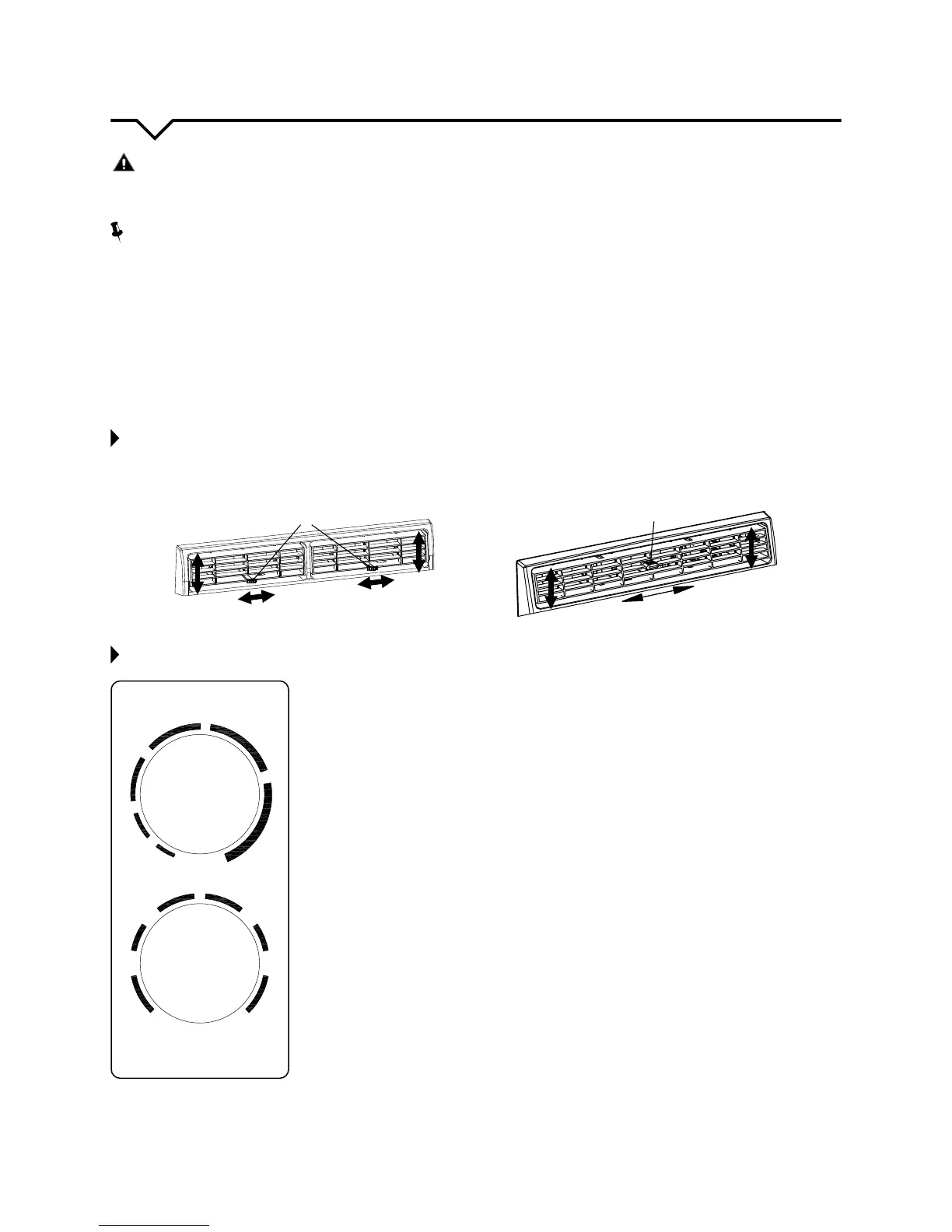
AIR DIRECTIONAL LOUVERS:
ThelouverswillallowyoutodirecttheairowUporDown(onsomemodels)andLeftorRightthroughouttheroomas
needed.PivothorizontallouversuntilthedesiredUp/Downdirectionisobtained.MovetheLever(s)fromsidetosideuntil
thedesiredLeft/Rightdirectionisobtained.
CONTROL PANEL:
Thecontrolsfeaturedinthismanualarerepresentativeofmanyavailablemodels.Your
modelmayoerslightlydierentfeatures.
COOL MODE
ThedesiredcoolsettingisselectedbyrotatingtheCOOLINGknobtotherighttothe
appropriate location.
“HICOOL”hasamaximumcoolingeectandairow.
“LOCOOL”hasaminimumcoolingeectandairow.
“MEDCOOL”hasanintermediatecoolingeectandairow.
“OFF”willcompletelyshutotheunit.
FAN MODE
RotatetheCOOLINGknobtothelefttoselectyourchoiceoffanspeedsforair
circulation. NOTE: When selecting a fan speed, the compressor will NOT run.
THERMOSTAT
Thethermostat(“TEMPERATURE”knob)isusedtosetthedesiredroomtemperature
whentheunitisbeingoperatedintheCOOLmode.
Tosetthedesiredroomtemperature,rotatethetopknob(“TEMPERATURE”)tothe
desired setting. After the set temperature is achieved, the thermostat will automatically
start and stop the compressor in order to maintain the desired set temperature.
Rotatethethermostatselector(“TEMPERATURE”knob)clockwiseforhighercool
settings. Higher cool settings will provide lower room temperature.
Rotatethethermostatselector(“TEMPERATURE”knob)counterclockwiseforlowercool
settings. Lower cool settings will provide higher room temperature.
TEMPERATURE
MIN
COOL
MAX
COOL
LO
FAN
MED
FAN
MED
COOL
LO
COOL
HI
COOL
HI
FAN
OFF
COOLING
1
2
3
4
5
6
7
Lever
Air Direction
Lever



 To Next Page
 Loading...