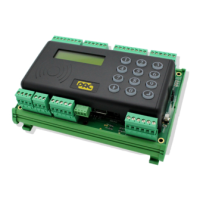
PAC 212 Access Controller Install Guide
7.15.1 Log out of the menu
1. In the Admin menu or the Editor menu, press ↑.
The Logout page is displayed.
2. Press ↵ to leave the menu or ↑ to return to the menu.
3. If necessary, wait while the settings are applied.
The PAC 212 returns to its default operation.
After 3 minutes of inactivity you are logged out of the menu automatically.
7.16 Change the Administrator Token
7.16.1 Change the administrator token
1. Press and hold ⓪ for 5 seconds, then press ↵ .
2. Enter the Admin PIN for this PAC 212, then press ↵ .
3. Present the required administrator token.
The PAC 212 is restarted and the settings are applied.
7.17 Reset to Factory Defaults
1. Press and hold ① for 5 seconds.
2. Enter the Admin PIN for this PAC 212, then press ↵ .
You are prompted to set up the PAC 212 again. See First Setup.
When you reset to factory defaults, all events, settings, flats and / or keys are deleted.
- 15 -


 To Next Page