PAC 212 Access Controller Install Guide
8 Usage
Display
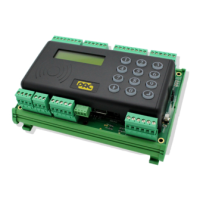
By default, the LCD display shows the status of the two doors.
Alarms
If an alarm occurs, the PAC 212 sounder beeps and a 2-character
alarm code is shown on the LCD display.
The top line of the LCD display shows alarms for Door 1 and the bottom line shows alarms for Door
2.
AP Hard anti-passback violation.
BF Battery flat.
BL Battery low.
B? Battery status unknown.
CT Case tamper, i.e. the case of the PAC 212 has been opened.
DF Door forced.
DO Door open.
DU Duress alarm.
RH RTE held.
Rx Reader tamper – x identifies the reader.
l
To silence an alarm, present an administrator key or editor key to the PAC 212.
l
To clear an alarm, remove the condition that caused the alarm. (Hard anti-passback violations or
duress alarms are cleared when you silence the alarm.)
Alarm Shunt
l
If door monitoring is disabled, the output relay is activated for the duration of the lock release time
when a valid access is detected.
l
If door monitoring is enabled, the output relay is activated for the duration of the lock release time
when a Door Forced or Door Open alarm is detected.
- 16 -


 To Next Page