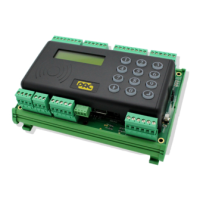
PAC 212 Access Controller Install Guide
9 One Touch™ Test Mode
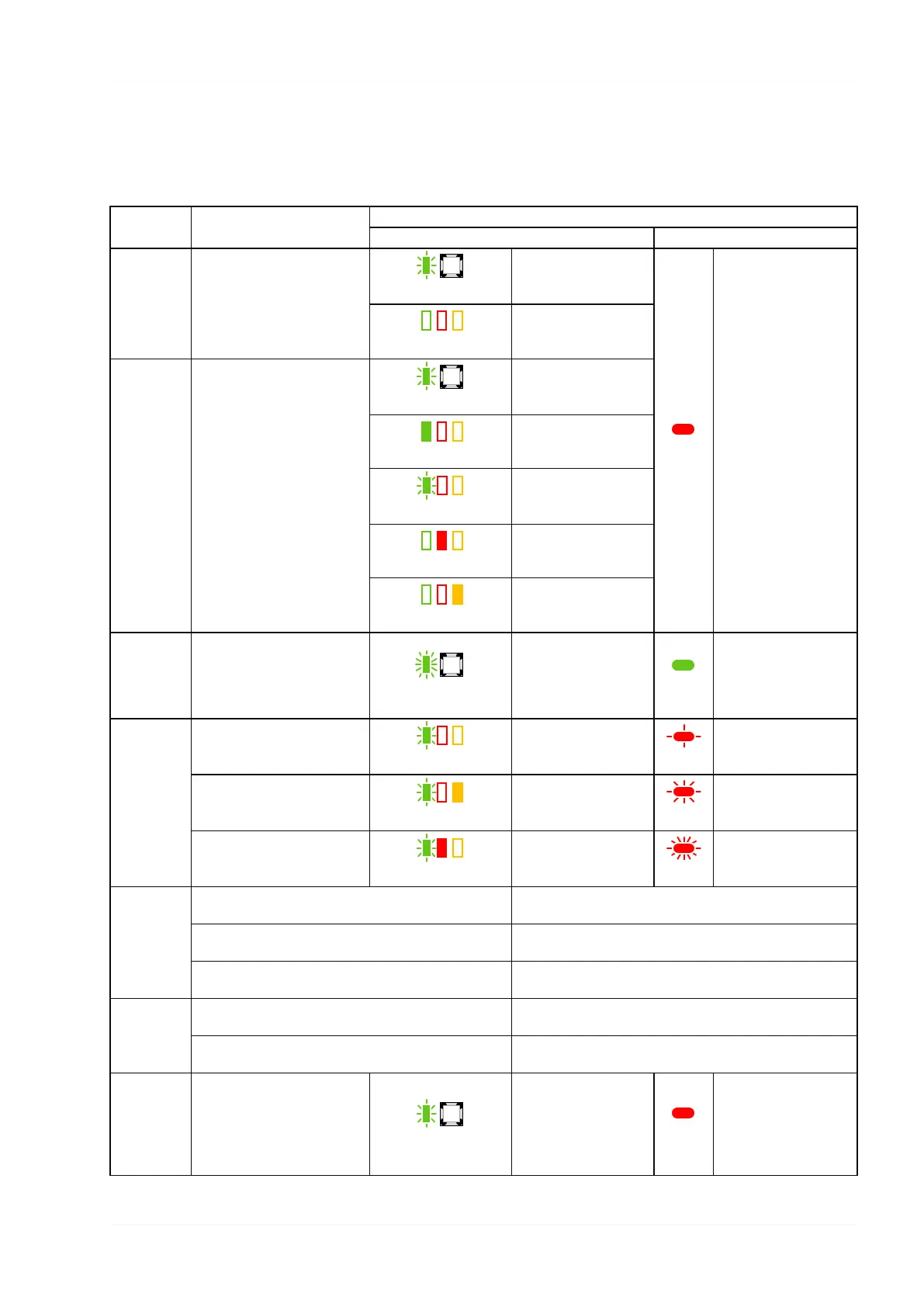
To speed up installation and testing, One-Touch™ testing is provided which allows the controller functionality to be tested at the
controller or reader.
Test Action
Observation
Controller Reader
Normal
Operation
Green
GREEN flashes at
normal rate.
Red
Normal operation of
the reader.
Green-Red-Yellow
All LEDs off.
One-
Touch™
View Mode
Hold down One-Touch™
button for less than 2
seconds. Present keys, press
RTE switches and observe
LEDs.
Automatically exits after 2
minutes.
Green
GREEN flashes at
normal rate.
Green-Red-Yellow
GREEN on, valid key
presented to reader.
Green-Red-Yellow
GREEN flashes, invalid
key presented to
reader.
Green-Red-Yellow
RED on, door open.
Green-Red-Yellow
YELLOW on, RTE
switch has been
pressed.
One-
Touch™
Active
Mode
Hold down One-Touch™
button for 2 to 4 seconds.
Green
GREEN flashes faster
than normal.
Green
Normal operation of
the reader LED
changes, e.g. if default
is red it changes to
green.
Reader and
Request to
Exit Test
Present a key to each reader
(the lock will activate).
Green-Red-Yellow
GREEN flashes once for
SIGA, twice for SIGB.
Red
Reader LED flashes
once for SIGA, twice
for SIGB.
Press the Request to Exit
switch (the lock will activate).
Green-Red-Yellow
GREEN flashes three
times and YELLOW is
on.
Red
Reader LED flashes
three times.
Open the door contact.
Green-Red-Yellow
GREEN flashes four
times and RED is on.
Red
Reader LED flashes
four times.
Auxiliary
and Lock
Relays Test
Present a key to a reader, press the Request to Exit
switch and open the door contact simultaneously.
The appropriate auxiliary relay is activated.
Remove link to 0V on tamper or open circuit tamper
switch.
Both auxiliary relays are activated.
Remove link to 0V on emergency override or leave
open circuit tamper switch.
The auxiliary relay is activated.
Tamper and
Override
Test
Remove the link between TAMP and 0V on the Tamper
& Override terminal block.
The auxiliary relay is activated but the door relays are
unaffected.
Remove the link between OVRD and 0V on the Tamper
& Override terminal block.
Both auxiliary and lock relays are activated, the door opens
and the lock operates.
Leave One-
Touch™
Active Test
mode
Hold down One-Touch™
button for less than 2
seconds. One-Touch™ Test
mode will automatically be
timed out after 1 hour,
power up or power down.
Green
System status: GREEN
flashes at normal rate
again. Red
Reader LED returns to
normal operation.
- 17 -


 To Previous Page
 Loading...