EasyManua.ls Logo

PAC RP4-FD11 - User Manual

PAC RP4-FD11
5 pages
Print Icon
To Next Page IconTo Next Page
Loading...
RP4-FD11
Radio Replacement & Steering Wheel Control Interface
for Ford/Lincoln/Mercury Vehicles
Introduction & Features
Important Notes
Wiring Connection Chart
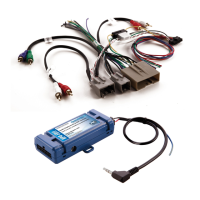
The RP4-FD11 interface allows the replacement of a factory radio in select Ford/Lincoln/Mercury vehicles with MSCAN
databus radios. Using this interface will retain factory features such as steering wheel controls (SWC), rear seat
entertainment (RSE), rear seat controls (RSC) and the THX or Sony amplier when the original radio is removed. Use of
this interface also allows you to program two radio functions to each SWC button by using short press long press dual
command functionality. The RP4-FD11 also provides data bus driven outputs such as retained accessory power (RAP),
vehicle speed sensor (VSS), illumination, reverse trigger and parking brake.
1. The radio select rotary switch on the side of the interface must be adjusted to the proper radio setting
before plugging the interface into the vehicle (see next page for setting chart).
2. The interface comes pre-programmed for all of the vehicles factory SWC functions and does not require programming unless
you wish to re-assign the SWC functions or utilize short press long press dual command functionality. The SWC can always
be restored to default settings by pressing and releasing the program button on the side of the interface once and waiting 7
seconds for the LED to ash 4 times.
3. 2005-07 Ford Freestyle, Mercury Montego and Ford Five Hundred - In order for SWC to function in these vehicles you must
re-calibrate the SWC using the procedure outlined on page 4.
4. RSC buttons that are identical to the SWC will mimic the SWC one for one. All other buttons cannot be programmed.
5. The LED will ash whenever a SWC button is pressed.
6. When used in a vehicle equipped with an LCD screen, the screen will display the SWC functions as they are pressed on
the steering wheel. It will also display “Programming Mode” whenever the programming button on the side of the interface is
pressed.
7. The RSC must be in AM mode for track +/- to function. RSC must be set to AUX mode to pass audio to aftermarket radio.
8. Vehicles equipped with a factory amplied system must disconnect SYNC if they wish to use the voice button. Not disconnecting
SYNC will result in the rear speakers muting every time the voice button is pressed.
9. Feeding too strong of an audio signal into the headrest monitors will cause the audio output to shut down. If this happens you
must turn the tv off and on and lower the audio signal.
Red / White Parking Brake
Output (-)
Purple / White Vehicle Speed
Output
Blue / White Amp Turn On Input
Red Accessory Output
(1 amp)
Orange / White Illumination Output
(+)
Green Reverse Output (+)
Interface Connector
Yellow Battery +12v
Black Ground
Blue Antenna On Input
White Front L + input
White / Black Front L - input
Grey Front R + input
Grey / Black Front R - input
Green Rear L + input
Green / Black Rear L - input
Purple Rear R + input
Purple / Black Rear R - input
Vehicle Connector
SWC Connector
Blu/Yel Kenwood, Newer
JVC
3.5mm Jack Alpine, JVC,
Clarion, Fusion
Pioneer, Sony,
Boyo, Dual,
Lightning Audio,
Visteon or Advent
Question and Answer IconNeed help?

Do you have a question about the PAC RP4-FD11 and is the answer not in the manual?

Summary

Introduction & Features

Important Notes

Wiring Connection Chart

Illustration; Schematic

SWC Connection

Installation Steps

Default Steering Wheel Control Programming

Short Press Long Press Dual Command Functionality

Allows assigning two aftermarket radio functions per SWC button with short/long press commands.

Default SWC Button Assignments

Default programming for SWC buttons across various radio brands and functions.

Optional Steering Wheel Control Programming

Optional Steering Wheel Control Programming (cont.)

Optional Programming Order

Defines the sequence for programming SWC functions for different radio brands.

Testing & Verification

Steps to confirm the proper functionality of the installed interface and SWC.

SWC Re-calibration

Procedure to reset and re-learn SWC values for erratic or non-existent operation.

Rear Seat Entertainment (RSE); If equipped

RSE Audio Modes

Details the two modes for RSE audio playback: Single Play and Dual Play.

RSE Operation Notes

Important operational considerations for RSE systems with aftermarket radios.

Product Updates (Firmware)

Summary

Introduction & Features

Important Notes

Wiring Connection Chart

Illustration; Schematic

SWC Connection

Installation Steps

Default Steering Wheel Control Programming

Short Press Long Press Dual Command Functionality

Allows assigning two aftermarket radio functions per SWC button with short/long press commands.

Default SWC Button Assignments

Default programming for SWC buttons across various radio brands and functions.

Optional Steering Wheel Control Programming

Optional Steering Wheel Control Programming (cont.)

Optional Programming Order

Defines the sequence for programming SWC functions for different radio brands.

Testing & Verification

Steps to confirm the proper functionality of the installed interface and SWC.

SWC Re-calibration

Procedure to reset and re-learn SWC values for erratic or non-existent operation.

Rear Seat Entertainment (RSE); If equipped

RSE Audio Modes

Details the two modes for RSE audio playback: Single Play and Dual Play.

RSE Operation Notes

Important operational considerations for RSE systems with aftermarket radios.

Product Updates (Firmware)

Overview

The RP4-FD11 is a sophisticated radio replacement and steering wheel control interface designed for select Ford, Lincoln, and Mercury vehicles equipped with MS-CAN databus radios. Its primary function is to facilitate the installation of an aftermarket radio while preserving essential factory features and offering enhanced control options.

Function Description:

The core functionality of the RP4-FD11 revolves around maintaining factory features and providing data bus driven outputs. When a factory radio is removed, this interface ensures that crucial elements like steering wheel controls (SWC), rear seat entertainment (RSE), rear seat controls (RSC), and the THX or Sony amplifier remain operational with the new aftermarket unit. Beyond preservation, the RP4-FD11 also offers advanced control by allowing users to program two radio functions to each SWC button. This is achieved through a "short press long press" dual command functionality, significantly expanding the utility of existing steering wheel buttons.

In addition to control retention, the interface provides several vital data bus driven outputs. These include retained accessory power (RAP), which keeps the radio on for a set period after the ignition is turned off or until a door is opened, mimicking factory behavior. It also outputs a vehicle speed sensor (VSS) signal, essential for navigation systems and certain radio features, as well as illumination, reverse trigger, and parking brake signals. These outputs ensure that the aftermarket radio integrates seamlessly with the vehicle's electrical system, providing necessary signals for various functions like dimming with headlights, activating a backup camera, or enabling certain radio settings that require a parking brake input.

Usage Features:

The RP4-FD11 is designed for user-friendly installation and customization, though some initial setup is required.

Initial Setup and Configuration:

Before connecting the interface to the vehicle, a crucial first step is to adjust the radio select rotary switch on the side of the interface to match the specific aftermarket radio being installed. A setting chart is provided to guide this selection, ensuring compatibility and proper communication between the interface and the new head unit.

Steering Wheel Control (SWC) Functionality:

Out of the box, the interface comes pre-programmed to retain all factory SWC functions. This means that for most users, no additional programming is needed to use the basic SWC features with their aftermarket radio. The LED on the interface provides visual feedback, flashing whenever an SWC button is pressed, confirming successful communication.

Customizing SWC Functions (Short Press Long Press Dual Command):

For users who desire more control, the RP4-FD11 offers the ability to re-assign SWC functions or implement the "short press long press" dual command functionality. This feature allows assigning two different radio functions to a single SWC button. A quick press and release triggers one command (short press), while pressing and holding the button for more than two seconds activates a second command (long press). By default, no long press commands are programmed, giving users the flexibility to customize as needed.

The programming process involves a series of steps:

  1. Turning the key to the ignition position.
  2. Pressing and releasing the program button on the side of the interface.
  3. Within a short timeframe, pressing the desired SWC button. The LED will indicate when the button is recognized.
  4. Users then choose between a short press (release button within 1.5 seconds) or a long press (hold button until LED blinks, then release).
  5. This process is repeated for each desired SWC button.
  6. If a steering wheel does not have a particular function listed in the programming chart, or if a user does not wish to program it, they can skip that function by pressing and releasing the program button on the interface.
  7. After programming is complete, a waiting period of seven seconds, followed by three LED flashes, confirms the end of the programming sequence.

Rear Seat Entertainment (RSE) Integration:

For vehicles equipped with RSE, the RP4-FD11 facilitates the integration of the RSE audio with the aftermarket radio. Users can set their aftermarket radio to AUX input, press the Power button on the RSE, and insert a DVD. The RSE audio will then play through the aftermarket radio. The interface supports two RSE audio modes:

  • Single Play: In this mode, the RSE audio plays through all speakers in the cabin. This is activated by pressing the Dual Play button on the RSE controls until "Single Play" is displayed on the RSE screen.
  • Dual Play: In this mode, the rear speakers are muted, and RSE audio is transmitted through factory IR headphones, allowing front passengers to listen to a different source. This is activated by pressing the Dual Play button until "Dual Play" is displayed.

Special Considerations for Specific Vehicles:

  • For 2005-07 Ford Freestyle, Mercury Montego, and Ford Five Hundred vehicles, SWC functionality requires a re-calibration procedure outlined in the manual.
  • RSC buttons identical to SWC buttons will mimic the SWC functions; other RSC buttons cannot be programmed.
  • In vehicles with an LCD screen, SWC functions will display on the screen as they are pressed, along with "Programming Mode" when the program button is pressed.
  • RSC must be in AM mode for track +/- to function and in AUX mode to pass audio to the aftermarket radio.
  • Vehicles with a factory amplified system must disconnect SYNC if they wish to use the voice button, as not doing so will mute rear speakers when the voice button is pressed.
  • Overly strong audio signals to headrest monitors can cause audio output shutdown, requiring the TV to be turned off and on, and the audio signal lowered.

Testing and Verification:

After installation and programming, a series of verification steps are recommended to ensure proper functionality:

  1. Confirm ignition on, LED on, and +12v accessory wire on.
  2. Turn on the radio and check balance and fade (note: factory amplified systems will not fade).
  3. Verify factory subwoofer operation (if present).
  4. Confirm all SWC are functioning correctly.
  5. Test RAP functionality by turning off the vehicle and removing the key, observing if the radio stays on for 10 minutes or until the driver's door is opened.
  6. Confirm the LED and radio turn off when RAP times out or the driver's door is opened.

SWC Re-calibration:

If SWC operation is erratic or non-existent, a re-calibration process is necessary. This process re-calibrates the SWC values to the RP4 interface. The steps are similar to programming but involve holding the program button for 7 seconds until the LED blinks, then releasing. Users then press and release each SWC button in a specific order. If a function is not present or not desired, the program button on the interface can be pressed to skip it. After 7 seconds, the re-calibration mode times out, and default values are restored. If custom functions are desired after re-calibration, the full programming process must be followed again.

Maintenance Features:

The RP4-FD11 is designed for long-term use and includes a crucial maintenance feature:

Firmware Updates:

The interface is updateable with new firmware as it becomes available. This ensures that the device can remain compatible with future vehicle models, radio technologies, or address any potential bugs or enhance existing features. Updates are performed using the PAC-UP interface updater, which is sold separately. This feature provides a future-proof aspect to the RP4-FD11, allowing it to adapt and evolve without needing a complete hardware replacement.

PAC RP4-FD11 Specifications

General IconGeneral
Amplifier Turn-OnYes
Installation RequiredYes
Steering Wheel ControlRetains factory steering wheel controls
Navigation OutputsSupports navigation systems
Retained FeaturesFactory features like SYNC
Radio ReplacementAllows aftermarket radio installation
Amplifier IntegrationYes, with factory amplifier

Related product manuals