SETUP
53
Setup
Add to start of recordings / Add to end of recordings
If you wish, you can add extra time to the start and/or end of
recordings. The same six settings are available for both of these items:
◆ Automatic – your FOXTEL PDR will automatically calculate
the best way to record the whole programme, even if it
overruns;
◆ 0, 1, 2, 5 or 10 minutes – the extra recording time that will
be added to the scheduled start or end time of recordings.
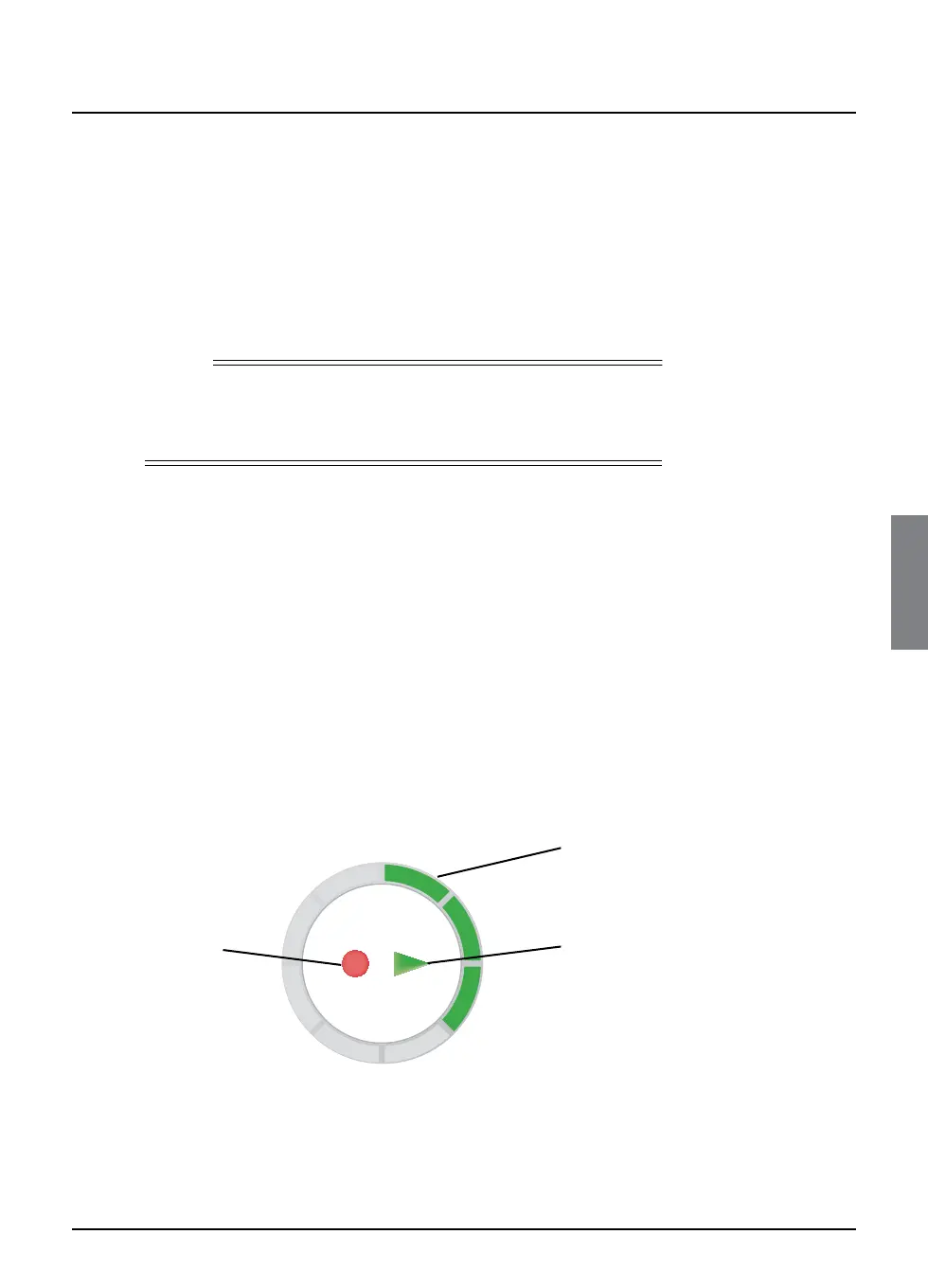
Front-panel recording/playback indicator
You can change the way in which the playback indicator (see below)
on your FOXTEL PDR’s front panel lights up. Three settings are
available:
◆ Standard – the recording, play and/or circular indicators light
up if recording and/or playback is in progress.
◆ Off – the circular indicator is turned off, but the recording and/
or play indicators light up if recording and/or playback are in
progress.
◆ Demo – (Demonstration) – all of the indicators light up in a
continuous sequence of operation.
See also page 62.
Note
If one recording immediately follows another, any extra time added to
the start and/or end of recordings may be dropped in favour of the
next recording.
Playback indicator
recording
indicator
circular
indicator
play
indicator



 To Next Page