10
Connector
Assembly (cont’d)
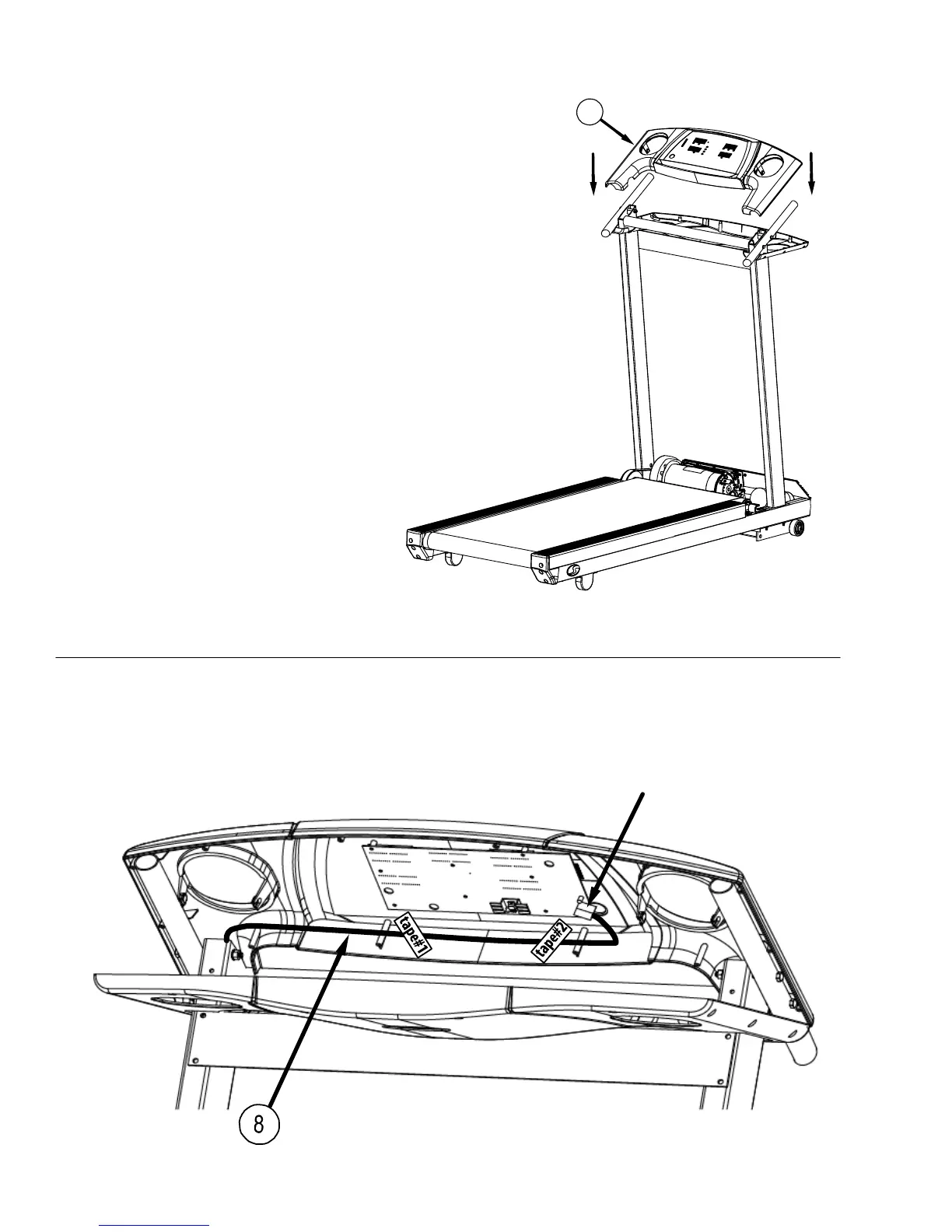
Step Five:
Lower the top of the control panel (16) on to the
upright assembly as shown below
Step Six:
Route the wire harness (8) as shown below. Pull the wire harness taut then apply tape #1 exactly as shown. Repeat and apply tape #2
exactly as shown. Harness must be flat against the side wall of the black plastic housing between tape#1 and tape #2. Plug the end of the
wire harness into the connector on the circuit board. All the slack in the wire harness should be near the connector.
16


 To Next Page