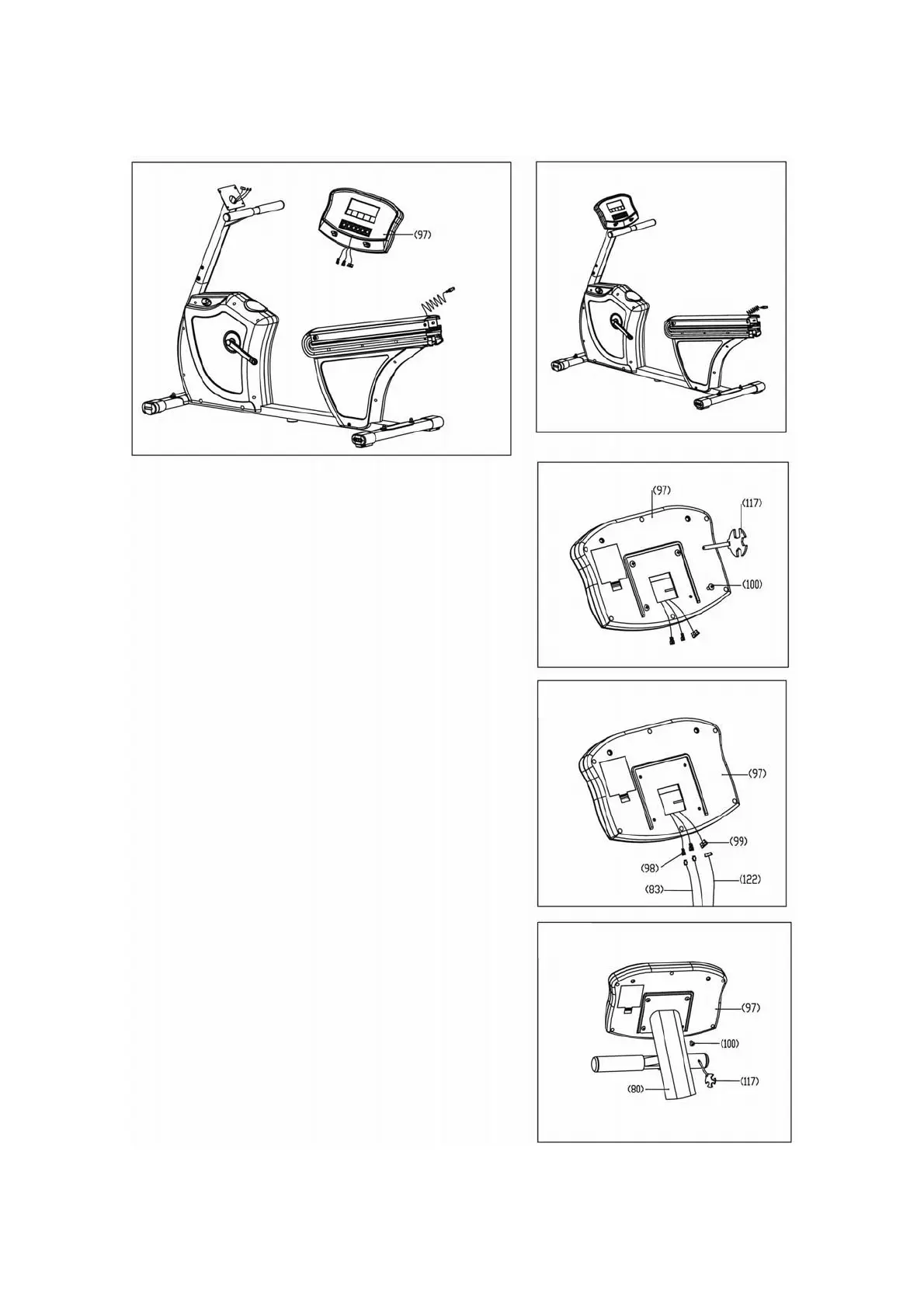
4. To assemble the Computer
Step 4C:
Attach the Computer (97) to the Upright (80) with
the 4 Phillips head screws (100) removed in Step
A above. DO NOT PINCH the wires when
securing the computer (97) to the mast (80).
Step 4B:
Connect the 2 pairs of contact heart rate wires
(98) to (83) and (99) to (122). Then connect the
main power wires shown in the center of Fig B to
the right.
Step 4A:
Remove the 4 mounting screws (100) from the
back of the Computer (97) with a Phillips head
screw driver.
C
B
A
11


 To Next Page