Copyright© 2002-2003 Pacific Digital Corporation Page 10
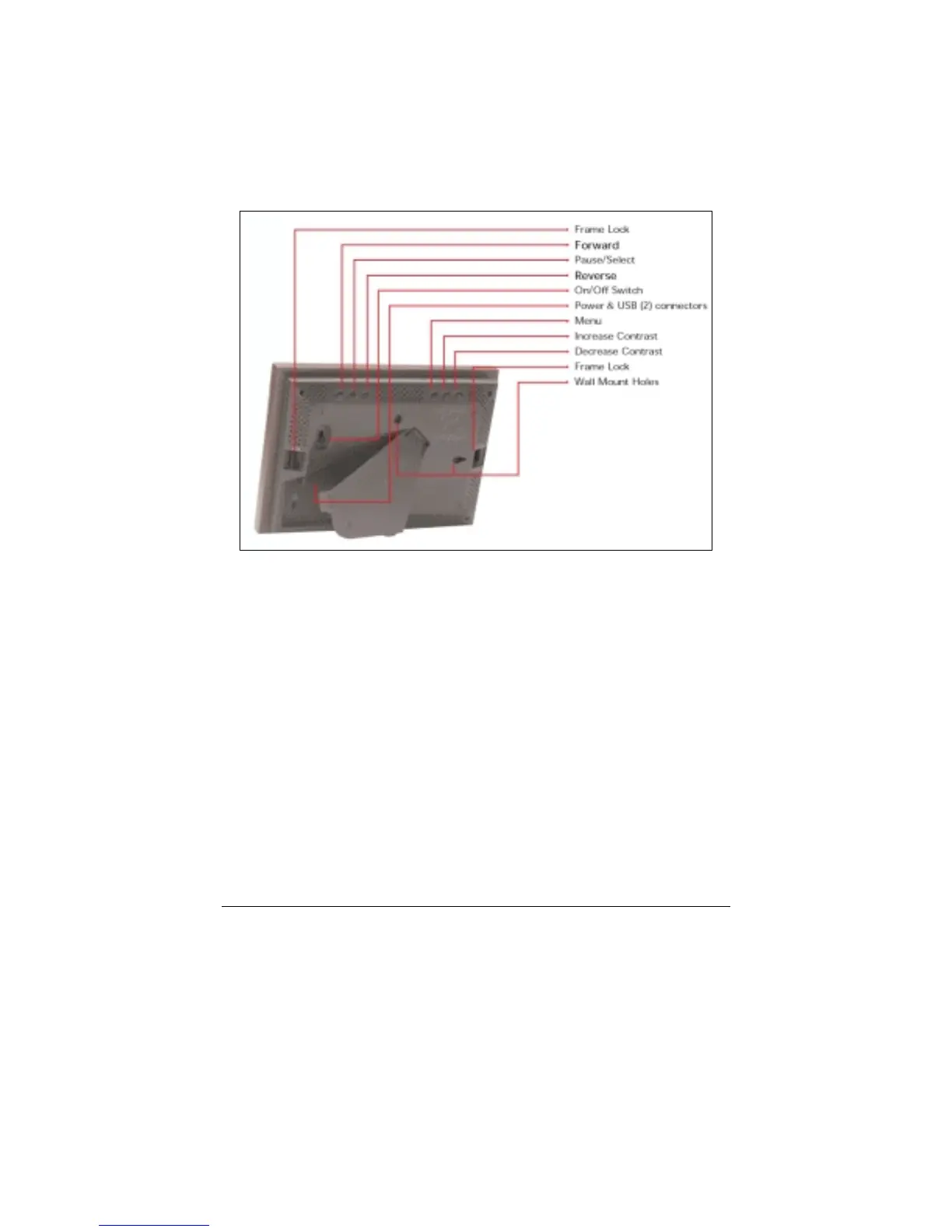
5. Control Buttons and Connectors
This section briefly summarizes the main control buttons and connectors.
The buttons can have a variety of functions while in the Menu system.
More detailed control button usage in the Menu system is discussed in
the Menu System section (Chapter 9).
Figure 3 – Buttons & Connectors
Frame Lock The two frame locks hold a decorative 5x7
frame in place. There are two locations, one on
each side. The “Locked” position is toward the
outside of the unit. A noticeable “click” may be
heard when locked or unlocked.
Forward (►) During a slideshow, press the ► button to
transition to the next photo in the slideshow.
When viewing a user-interface menu (see Menu
button), use this button to highlight the next
menu option.
Pause/Select ( || ) Press the || button to pause or restart the slide
show. When the show is paused, the || button
resumes the slideshow. When viewing a user-
interface menu (see Menu button), this button



 To Next Page