Copyright© 2002-2003 Pacific Digital Corporation Page 16
6.4 Installing MemoryFrame’s USB Drivers
MemoryFrame has custom USB drivers from Pacific Digital that are
shipped to you on the same software CD as Digital PixMaster. To load
them, boot your Windows PC, and after Windows has completely
loaded, simply connect your PC to your MemoryFrame with the USB
cable that was provided in the box with the unit.
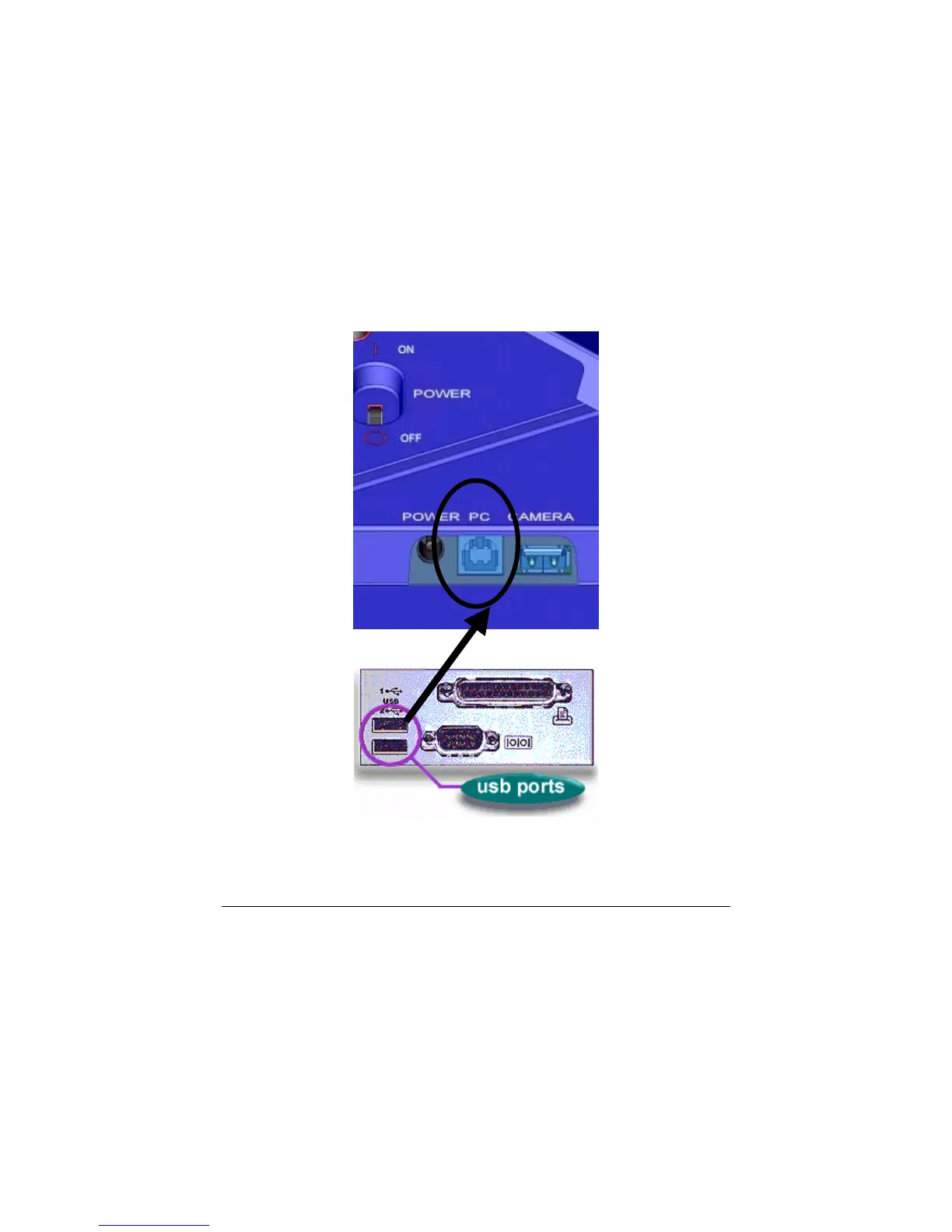
Connect the larger “standard USB” connector to the USB port of the PC.
Connect the smaller “mini-USB” connector to the “PC” connector of the
MemoryFrame. Figure 7 shows the location of the “PC-to-
MemoryFrame” connector on the back of MemoryFrame.
Figure 7 – Connecting a PC to MemoryFrame
PC
MemoryFrame



 To Next Page