®
INC.
PACIFIC MICROSONICS
47
Reference
Model Two HDCD
®
User’s Manual
Rev. C - January 2002
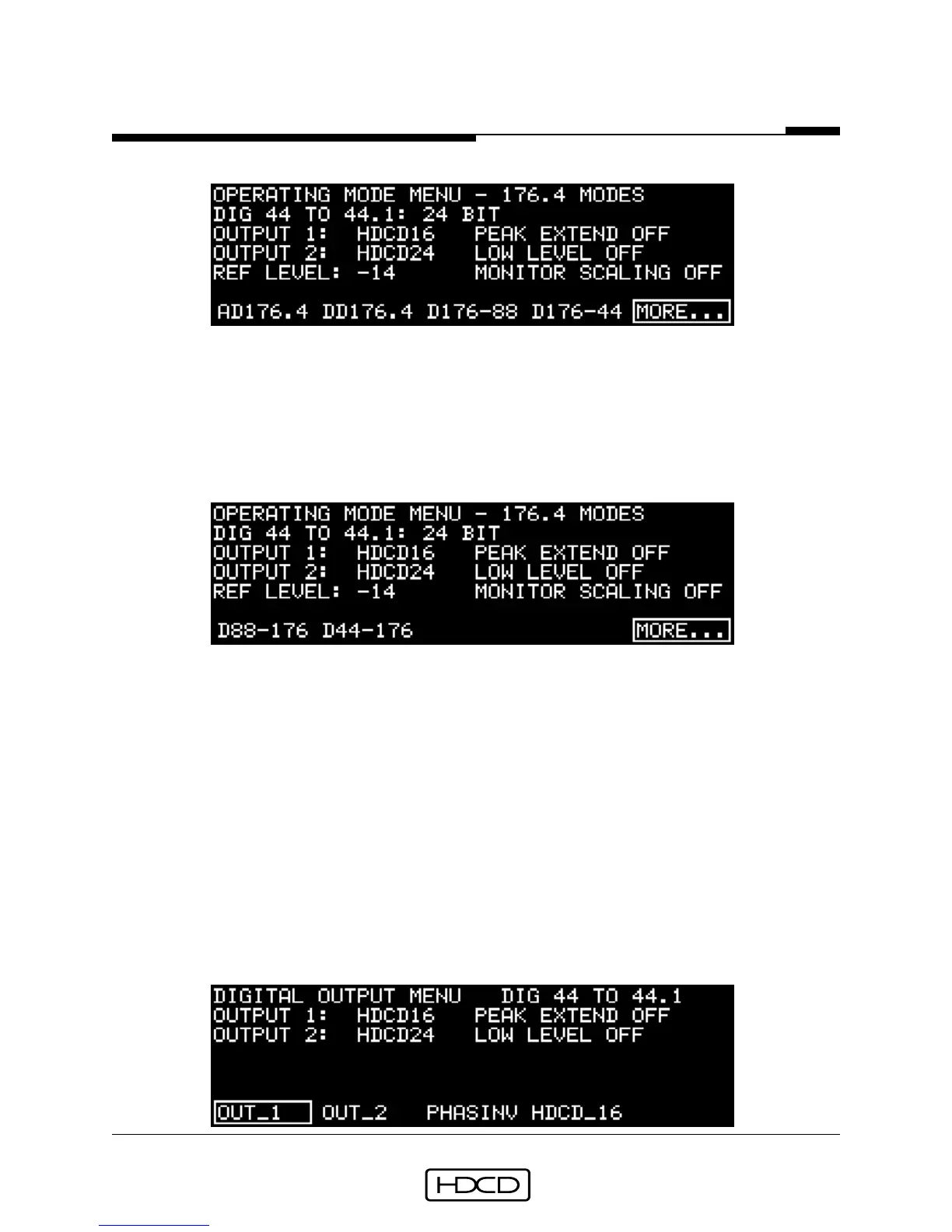
Operating Mode 4_X Modes Menu
Button #1 (AD176.4) selects 176.4 kHz AD mode, button #2 (DD176.4) selects 176.4 kHz
to 176.4 kHz DD mode, button #3 (D176-88) selects 176.4 kHz to 88.2 kHz DD mode,
button #4 (D176-44) selects 176.4 kHz to 44.1 kHz DD mode, button #5 (MORE...) selects
page two of the Operating Mode 4_X Modes Menu. Pressing ENTER activates the selection.
Page two of the Operating Mode 4_X Modes Menu:
Button #1 (D88-176) selects 88.2 kHz to 176.4 kHz DD mode, button #2 (D44-176) selects
44.1 kHz to 176.4 kHz DD mode, and button #5 (MORE...) selects the 44.1/48 Base Sample
Rate Menu. Pressing ENTER activates the selected mode.
Descriptions of the Operating Modes are on pages 19-23, and details of using each mode
are on pages 26 to 31, in the Setup & Operation section.
Digital Output Menu
The Digital Output Menu is reached from the Operating Menu by selecting
(SETUP/OUTPUT). This menu appears in different forms depending on whether 1_X, 2_X or
4_X digital output operating modes are selected.
In 44.1 kHz (1_X) digital output operating modes:



 To Next Page