®
INC.
PACIFIC MICROSONICS
50
Reference
Model Two HDCD
®
User’s Manual
Rev. C - January 2002
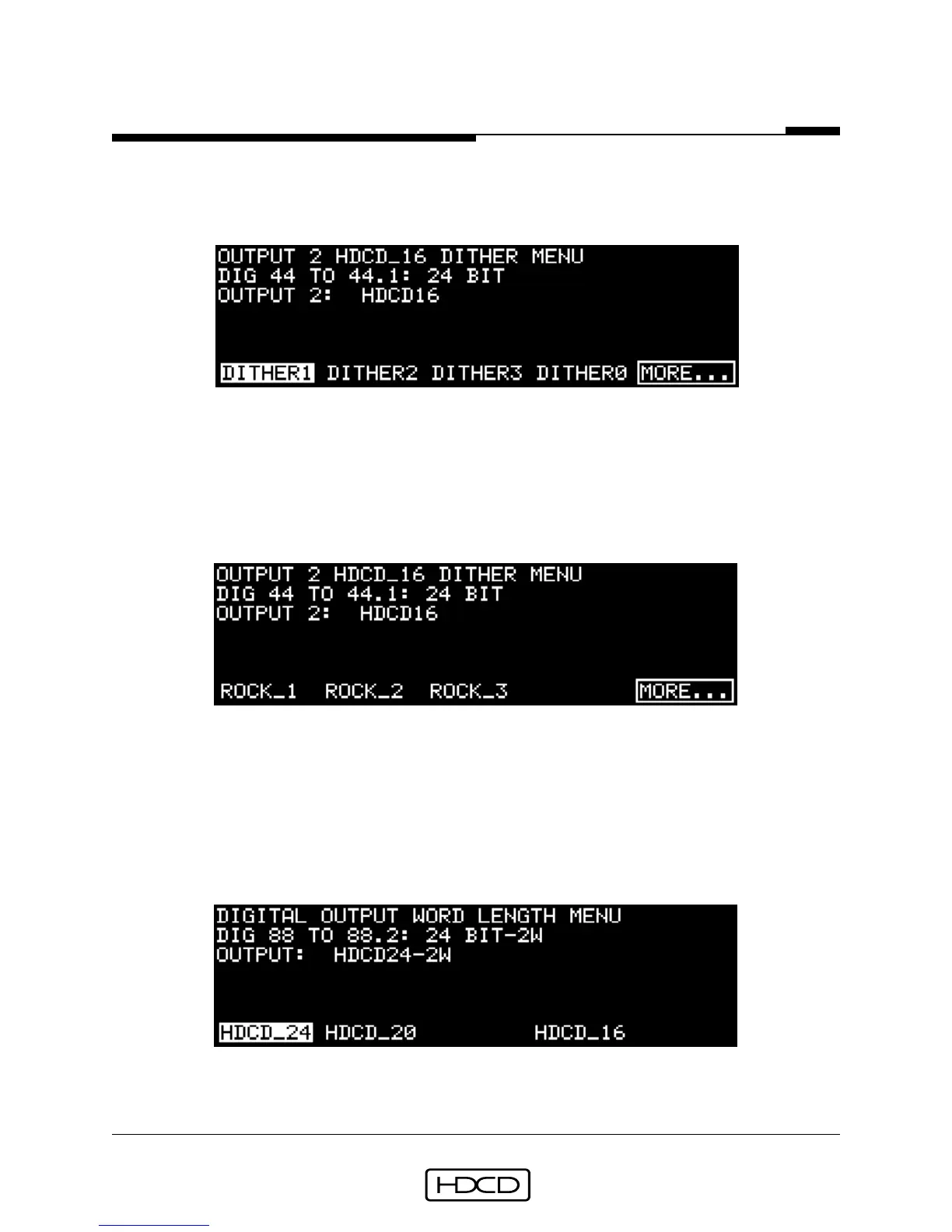
Output 2 HDCD_16 Dither Menu
The Output 2 HDCD_16 Dither Menu is reached from the Operating Menu by selecting
(SETUP/OUTPUT/OUT_2/DITHER).
Function buttons 1-4 select HDCD dithers. #5 selects the second page of the Dither Menu.
Pressing ENTER activates the selected dither. The dithers are the same as those in the
Output 1 HDCD_16 Dither Menu. The Output 2 HDCD_16 Dither Menu is deleted when
FOLW_1 is selected in the Digital Output 2 Word Length Menu.
Page two of the Output 2 HDCD_16 Dither Menu:
Function buttons 1-3 select HDCD Rock dithers. #5 selects the first page of the Dither
Menu. Pressing ENTER activates the selected dither. The dithers are the same as those in
page two of the Output 1 HDCD_16 Dither Menu.
Digital Output Word Length Menu
In 88.2 or 176.4 kHz (2_X or 4_X) digital output operating modes, the Digital Output Word
Length Menu is reached from the Operating Menu by selecting (SETUP/OUTPUT/OUTPUT).
Function buttons 1, 2, and 4 select the digital output word length. Pressing ENTER acti-
vates the selected function



 To Next Page