18 - Getting to know your computer
- Note: The front panel indicators are visible even when the computer cover is closed.
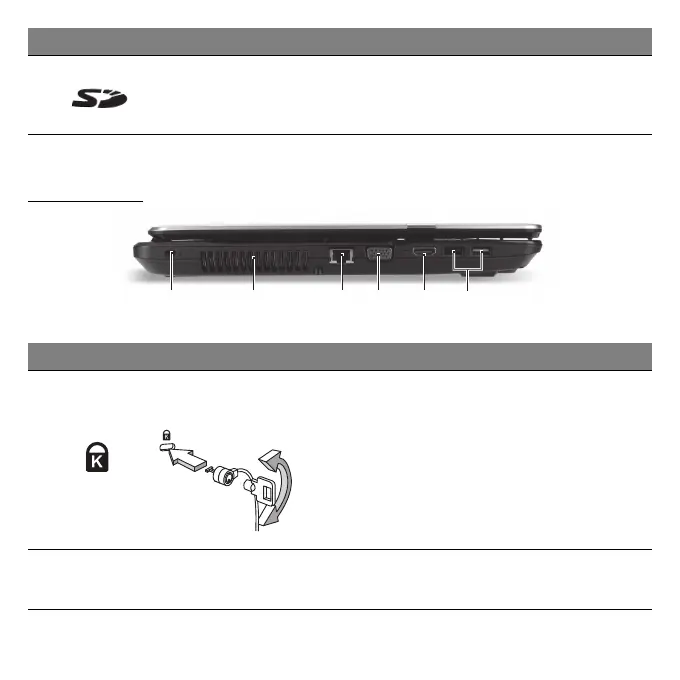
LEFT VIEW
21 3 54 6
2 Card reader
Accepts Secure Digital (SD) cards.
- Push to remove/install the card. Only one
card can operate at any given time.
# Icon Item Description
1
Kensington lock slot
Connects to a Kensington-compatible
computer security lock.
- Wrap the computer security lock cable
around an immovable object such as a
table or handle of a locked drawer.
Insert the lock into the notch and turn the
key to secure the lock.
Some keyless models are also available.
2
Ventilation and
cooling fan
Allows the computer to stay cool.
- Do not cover or obstruct the openings.
# Icon Item Description


 To Next Page