20 - Getting to know your computer
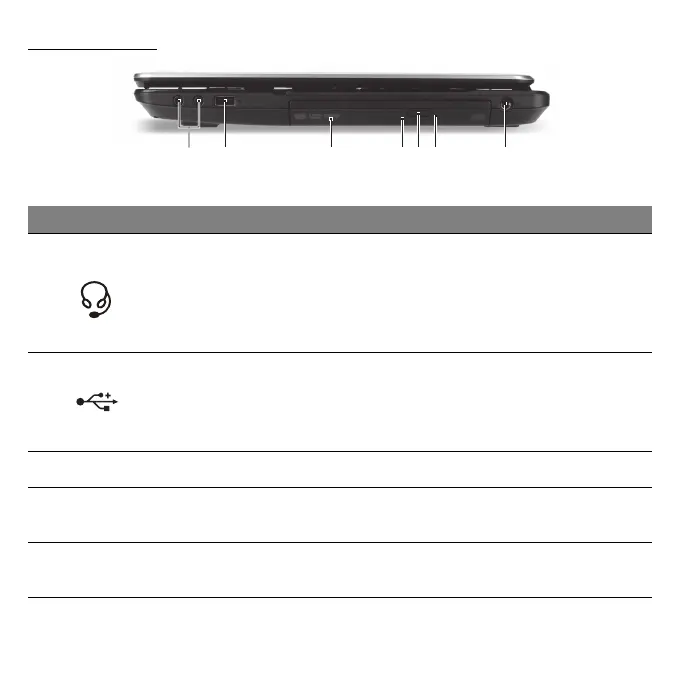
RIGHT VIEW
12 74563
# Icon Item Description
1
Headphones /
speaker jack
Connects to audio line-out devices (e.g.,
speakers, headphones).
- Supports compatible 3.5 mm headsets
with built-in microphone (e.g. Acer smart
handheld headsets).
2 USB port
Connects to USB devices.
- If a port is black, it is USB 2.0 compatible,
if it is blue it is also USB 3.0 compatible
(see below).
3 Optical drive Internal optical drive; accepts CDs or DVDs.
4
Optical disk access
indicator
Lights up when the optical drive is active.
5
Optical drive eject
button
Ejects the optical disk from the drive.


 To Next Page