44 - Power management
Your computer will also not start if it receives an instruction to start
over a network (Wake on LAN).
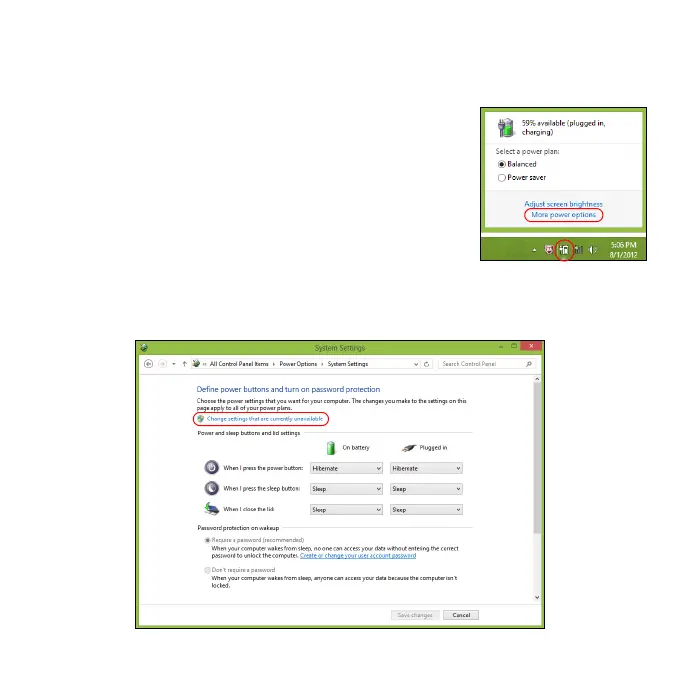
1. Open the Desktop.
2. Click Power Options in the Notification area.
3. Select More Power Options.
4. Select Choose what the power buttons do.
5. To access Shutdown Settings, select Change settings that are
currently unavailable.



 To Next Page