Recovery - 73
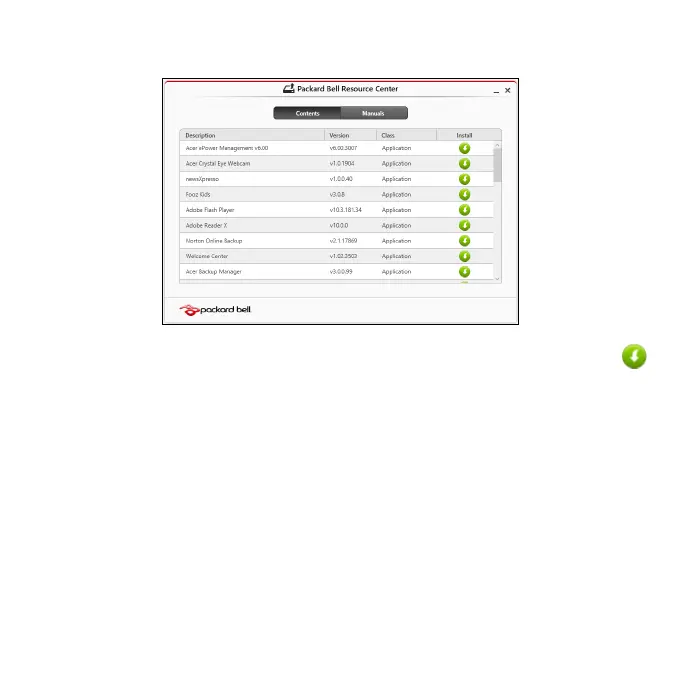
• You should see the Contents section of the Packard Bell Resource
Center.
• Click the install icon for the item you want to install, then follow
the onscreen instructions to complete the installation. Repeat
this step for each item you want to reinstall.
If you are reinstalling from a Drivers and Applications Backup on a DVD or
USB drive:
1. Insert the Drivers and Applications Backup into the disc drive or
connect it to a free USB port.
• If you inserted a DVD wait for Packard Bell Resource Center to
start.
• If Packard Bell Resource Center does not start automatically,
press the Windows key + <E>, then double-click on the optical
drive icon.


 To Next Page