Recovery - 79
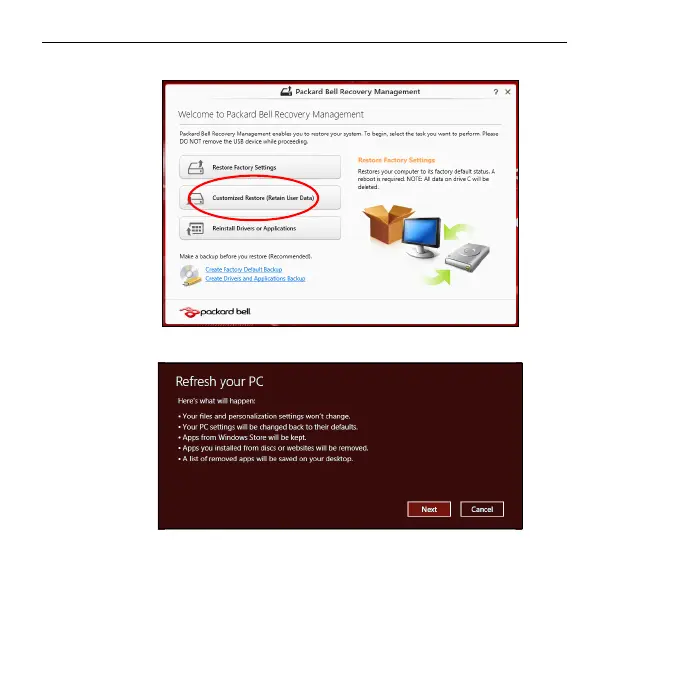
Customized Restore with Packard Bell Recovery Management
1. Click Customized Restore (Retain User Data).
2. The Refresh your PC window opens.
3. Click Next, then Refresh.
4. The recovery process begins by restarting your computer, then
continues by copying files to your hard drive. This process takes about
30 minutes.


 To Next Page