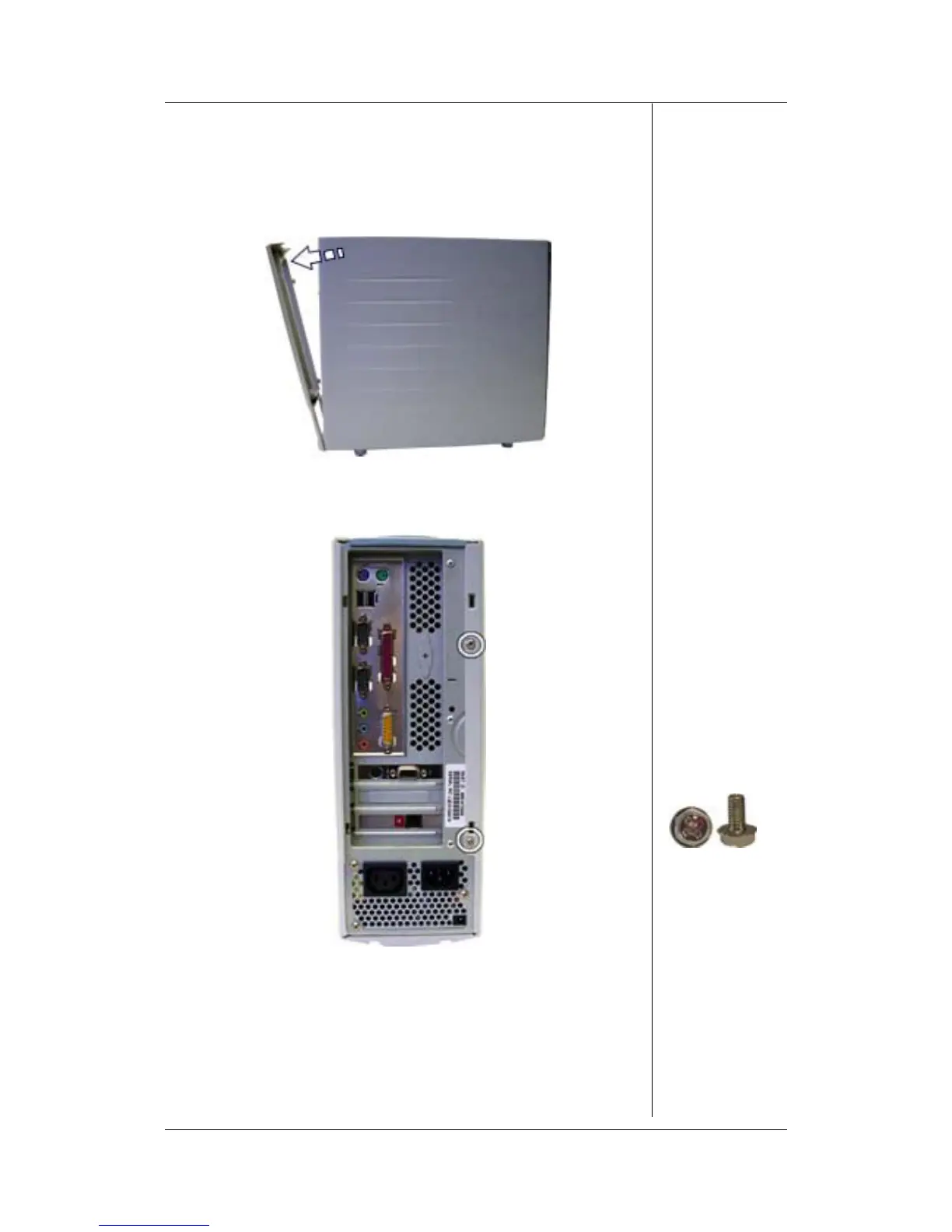
Opening the Chassis
Perform the following steps to open the chassis:
1. Disconnect all external data and power cables connected
to the computer.
2. Gently pull the rear bezel diagonally from the chassis.
Fig. 1: Removing the rear bezel
3. Remove the screws that hold the side panel.
Fig. 2: Removing the side panel screws
4. Slide the side panel towards the back and pull it away from
the chassis.
iDesign Disassembly Manual - 3




 To Next Page