5 Measurement mode There are 2 measurement modes for this
device. That is forehead, surface. It is able to
take the body temperature of human beings,
take the temperature of an area or an object, a
food, a liquid or a room.
Forehead
mode
Put the mode selection button on
the left, measurement range 32.0
to 43.0
℃(86.0 to 109.4℉).
Surface
mode
Put the mode selection button on
the right, measurement range 0 to
100
℃(32.0 to 212.0℉).
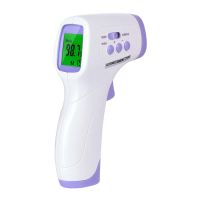
6 3 colors backlight In body mode, the device is able to judge
whether a fever or not by different color of
backlight:
32.0 to 37.4
℃(86.0 to 99.3℉) – Green
37.5 to 37.9℃(99.5 to 100.2℉) – Orange
38.0 to 43.0℃(100.4 to 109.4℉) – Red
In surface mode, the backlight always keeps
green.
7 Data memory Date memory automatically after temperature
measurements, which will display at the right
corner of LCD. Press UP or DOWN button to
display the last temperature measurement.
- 10 -


 To Next Page