1-800-263-9768 www.paderno.comProduct No. 043-2736-6
10 11
Cleaning
1. Always disconnect the appliance
from the power outlet before
cleaning. NEVER immerse the Burr
Grinder Housing, Stainless Steel
Burrs or Power Cord in water, or
place in the dishwasher.
2. Wash Lid, Bean Hopper and
Grounds Bin with water and mild
detergent. The Lid and Coee
Grounds Bin can be washed
in a dishwasher.
3. To clean the burrs, remove the
Bean Hopper from the Burr Grinder
Housing. Using the small handle
on the burrs, rotate the burrs
counter-clockwise and lift out.
Use the cleaning tool to brush
out excess grinds.
4. Wipe the exterior of the Burr
Grinder Housing with a soft, damp
cloth or cleaner.
NOTE: DO NOT use chemical, steel,
wooden or abrasive cleaners to
clean the outside of the appliance.
Disposal of Appliance
DO NOT dispose of this product in
household waste. Dispose of as per the
requirements of your local municipality.
Cleaning and Maintenance
Troubleshooting
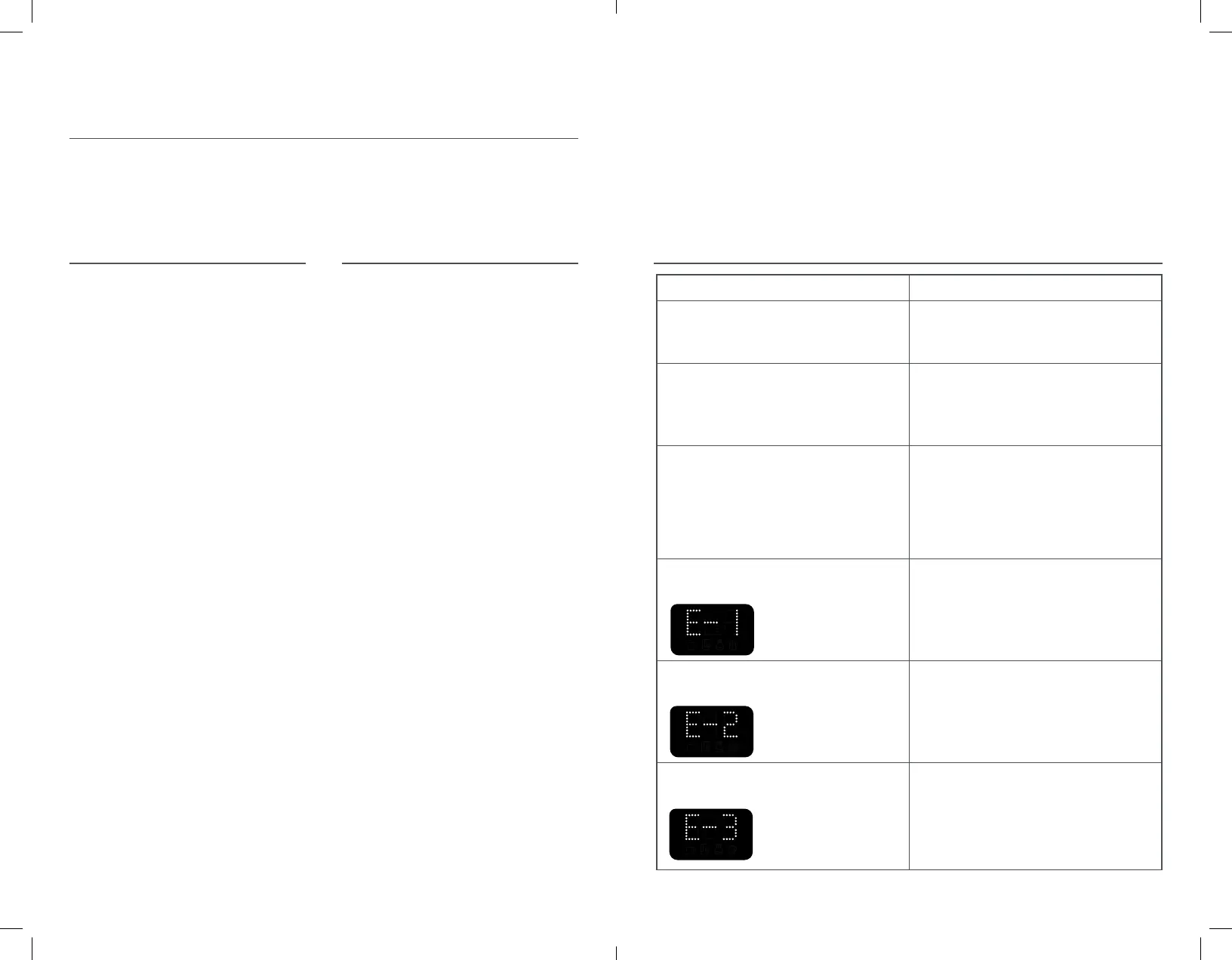
Problem Possible Solution
Coee Grinder does not turn on.
Unplug the Coee Grinder and plug it back
in to a grounded outlet.
Coee Grinder is running, but coee is not
being ground.
The burrs require cleaning. Unplug the
Coee Grinder and refer to the Cleaning
and Maintenance section for cleaning
the burrs.
Coee Grinder is running and then
stops abruptly.
Turn o and unplug Coee Grinder.
A coee bean may have jammed the burrs,
causing the grinder to stop to prevent
damage to the appliance. Refer to the
Cleaning and Maintenance section for
cleaning the burrs.
Coee Grinder is not running and lashing
screen is showing “E-1”.
The Bean Hopper is not locked into position.
Turn the Bean Hopper clockwise to lock it
into the correct position.
Coee Grinder is not running and lashing
screen is showing “E-2”.
The motor has gone into overheat
protection mode. Unplug the machine
and wait 30 minutes. Plug the machine
back in to resume use.
Coee grinder is not running and lashing
screen is showing “E-3”.
The motor has stalled. The burrs
must be cleaned. Refer to the
Cleaning and Maintenance section
of this user manual.
Figure 1 Images
Figure 2 Image
Figure 4 Image Warning Modes
Figure 1 Images
Figure 2 Image
Figure 4 Image Warning Modes
Figure 1 Images
Figure 2 Image
Figure 4 Image Warning Modes
w03a_0432736_6_CoffeeGrinderManual_ENG.indd 10-11 2020-10-15 12:32 PM


 To Next Page
 Loading...