Need help?
Do you have a question about the PageFlip butterfly and is the answer not in the manual?
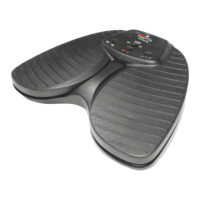
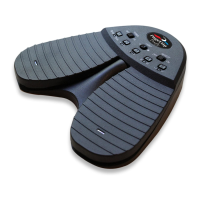
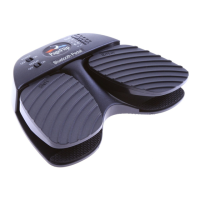
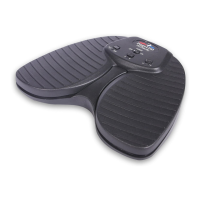
Simple operation by pressing the PageFlip Butterfly pedal to turn pages forward or backward.
Enables hands-free reading of digital content without interrupting activities.
Ensures accurate single-page turns, avoiding issues common with physical books.
Allows selection of three pedal modes for enhanced software compatibility.
Communicates wirelessly up to 10 meters using Bluetooth 3.0 technology.
Works with various tablets and computers supporting Bluetooth or USB.
Establishes interference-free wireless connectivity for multiple pedals.
Automatically turns off after 30 minutes of inactivity to conserve battery.
Small, lightweight pedal powered by two AA batteries, lasting about a year.
Provides additional information and video tutorials on the official website.
Instructions for safely installing two new AA batteries into the pedal.
Steps to slide the power switch and initiate pairing with a computer.
Procedure to make the pedal discoverable and pair it with a Bluetooth-enabled device.
Guide to selecting one of three preset pedal modes for different functions.
How to toggle the virtual iPad keyboard on/off while using the pedal.
Information on apps that work with the pedal and how to use it with others.
Details on the features distinguishing Butterfly, Firefly, and Dragonfly pedals.
Information on using pedals with tablets and compatible apps.
Guidance on using the pedal with Windows and Mac operating systems.
How to use the pedal with Kindle and iBooks applications.
List of apps that respond to PageUp/PageDown or arrow keys.
Instructions for downloading software to reprogram pedal functions.
Resources for downloading free classical and popular sheet music.
Methods for scanning and importing physical pages into a computer.
Information on connecting external pedals to the Firefly model.
Meaning of LED lights for power, pairing, and battery status.
Explanation of the pedal's auto-sleep function and how to wake it.
Specific settings for page turning in the Unrealbook app on iPad.
Interpreting LED signals for power, discovery, pairing, and low battery.
Steps to take if Bluetooth pairing fails.
Clarification on whether re-pairing is needed for the same device.
Using pedals with computers lacking built-in Bluetooth connectivity.
When a Bluetooth dongle is necessary for tablet or computer use.
Confirmation that page turns are user-triggered, not timed.
Guidance on when to use or disable the Autorepeat function.
How to manage the virtual iPad keyboard while using the pedal.
Information on the pedal's resistance to stomping and rugged use.
Tips for improving pedal visibility in dim lighting conditions.
Explanation of the naming conventions for Butterfly, Firefly, and Dragonfly pedals.
 General
| Connectivity | Bluetooth |
|---|---|
| Battery Life | 200 hours |
| Power Source | Rechargeable Battery |
| Compatibility | iOS, Android, Windows, Mac |
| Material | Plastic |
| Color | Black |
| Type | Bluetooth Page Turner Pedal |
| Connection | Bluetooth |

 To Next Page