Need help?
Do you have a question about the PageFlip Cicada and is the answer not in the manual?
Legal disclaimer about the manual's content, copyright, and usage restrictions.
Regulatory compliance and crucial safety instructions for device operation.
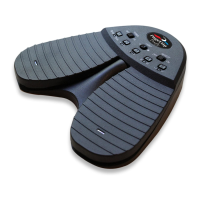
Introduces the PageFlip Cicada Bluetooth pedal and its purpose for hands-free page turning.
Highlights ease of use, reliability, versatility, and wireless connectivity.
Provides technical specifications including dimensions, power, and operating conditions.
Instructions for installing batteries and powering the device via AC adapter.
Step-by-step instructions for pairing the pedal with computers via Bluetooth (V1-V5).
Explains pedal modes, selection, and how to trigger page turns.
Details the autorepeat function and managing the virtual iPad keyboard.
Guidelines for cleaning the pedal safely and performing basic maintenance.
Outlines the warranty period, guarantee policy, and return procedures.
Addresses common questions on compatibility, pairing, and operation issues.
 General
| Brand | PageFlip |
|---|---|
| Model | Cicada |
| Category | Music Pedal |
| Language | English |

 To Next Page