PageFlip Cicada User Guide 4.2 AC Adapter
4.2 AC Adapter
In addition to being battery-operated, PageFlip Cicada may also be plugged
into the wall via a USB AC adapter. For added versatility, the pedal may be
powered by connecting it directly to the USB port of a computer. A USB
power cable (Fig. 1) is included for use with any USB AC adapter, such as
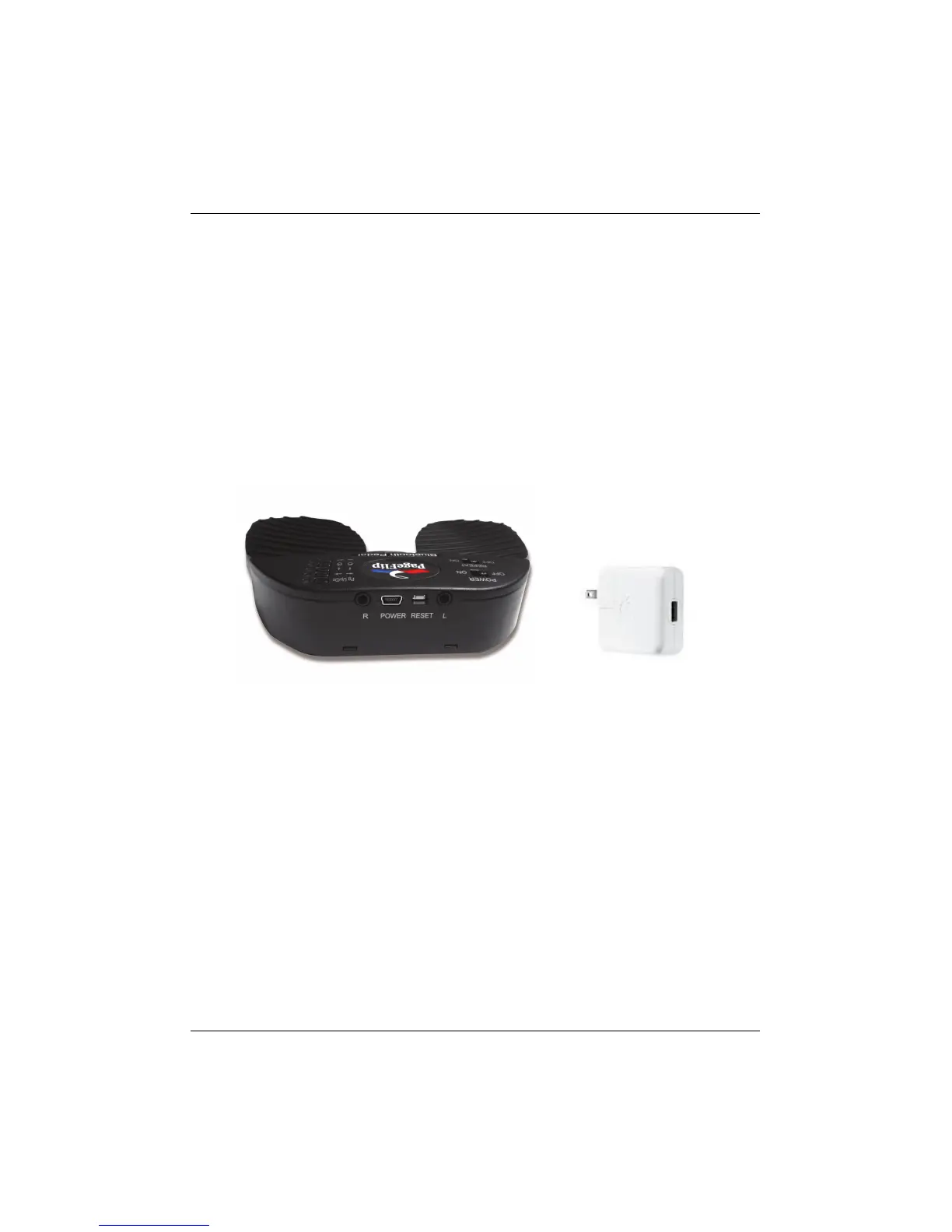
those included with iPads and iPhones (Fig. 3(b)). Simply plug one end
of the power cable into the mini-USB outlet on the rear of the PageFlip
Cicada (Fig. 3(a)) and plug the other end into the USB AC adapter.
(a) (b)
Figure 3: (a) Rear view of PageFlip Cicada. Attach the mini-USB end of
the 6’ USB power cable into the rear POWER outlet and con-
nect the other end into (b) any USB AC adapter, such as those
found on iPads and iPhones.
PageFlip, Inc. 9 www.pageflip.com


 To Next Page