13
Messages
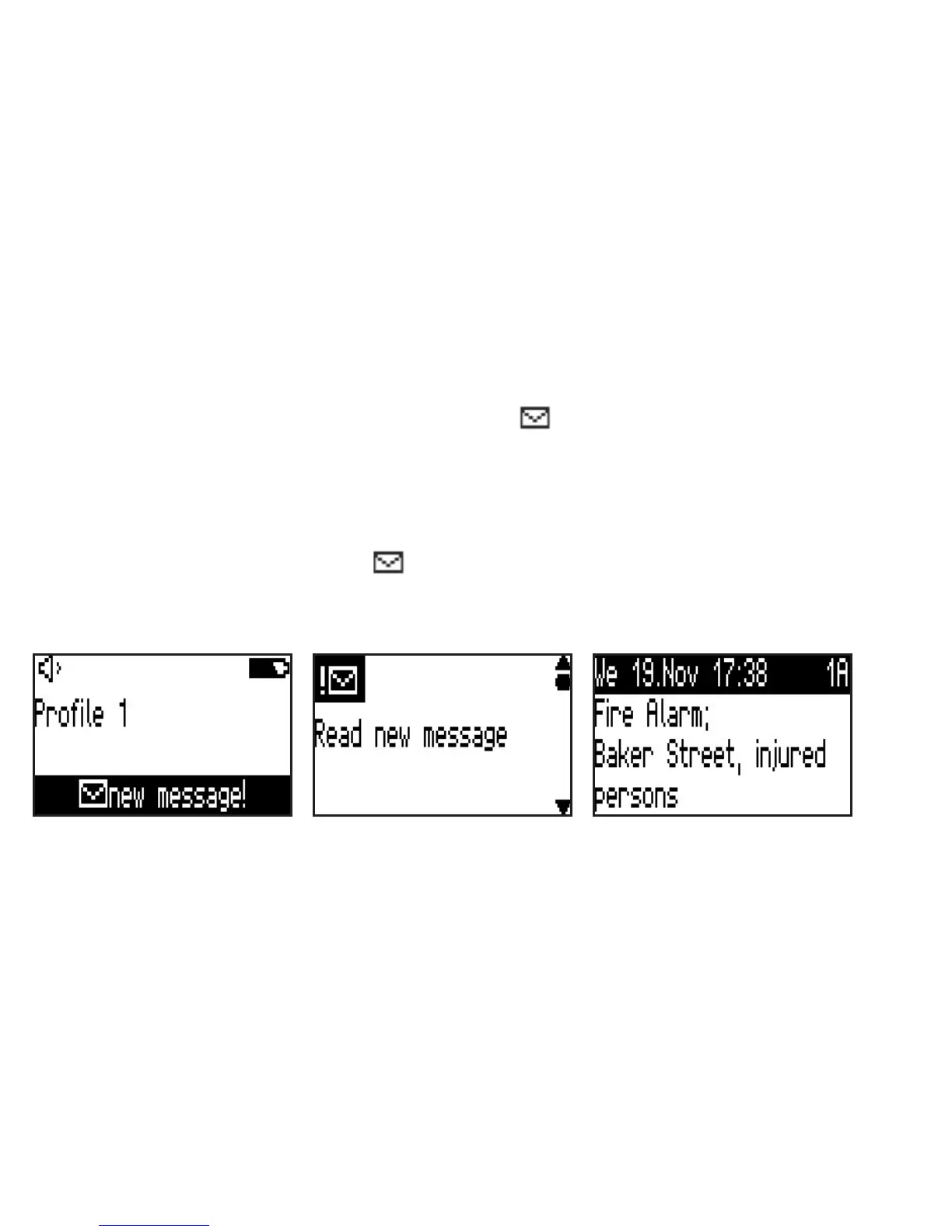
You are alerted immediately of any messages received; they are displayed and led in the message memory. In
stand-by mode new (unread) messages are indicated with the
New message!
symbol.
Reading new messages
New messages are immediately displayed on-screen and accompanied by the congured alert notication. To
stop the audible alert, press any key. With the acknowledgement key
<OK>
or the lower scroll key
<bottom>
scroll through the various items and the message will be designated as having been read.
In stand-by mode messages displayed with
New message!
can be read by pressing on the conrmation
key
<ok>
.
In order to be able to designate these messages as read the key lock function must be deactivated.


 To Next Page