English
35
-
s
to
).
y
e
0,05 ms (⫽ 50 µs)
0,1 ms (⫽ 100 µs)
0,2 ms (⫽ 200 µs)
0,3 ms (⫽ 300 µs)
0,5 ms (⫽ 500 µs)
1,0 ms (⫽ 1000 µs)
The adjustment-function is exited and the adjusted value is stored 1 second after the last turning
motion, or if the button is pressed once more.
Please observe:
The stimulation is not interrupted during the adjustment, and the impulse bandwidth is constantly
adapted according to the displayed value. It is recommended, to adjust the bandwidth of the stimula-
tion impulses before connecting to the patient, or to conduct the adjustment in the PAUSE-mode. In
addition, you should take into account that battery life is shortened considerably when using large
impulse bandwidths due to a high emission of energy.
5 SETUP-functions
5.1.1 SETUP LEVEL 1: Volume control
Pressing the SETUP-button once will activate a program option which allows you to control the volume
of the monitoring sound as well as of the warning sounds.
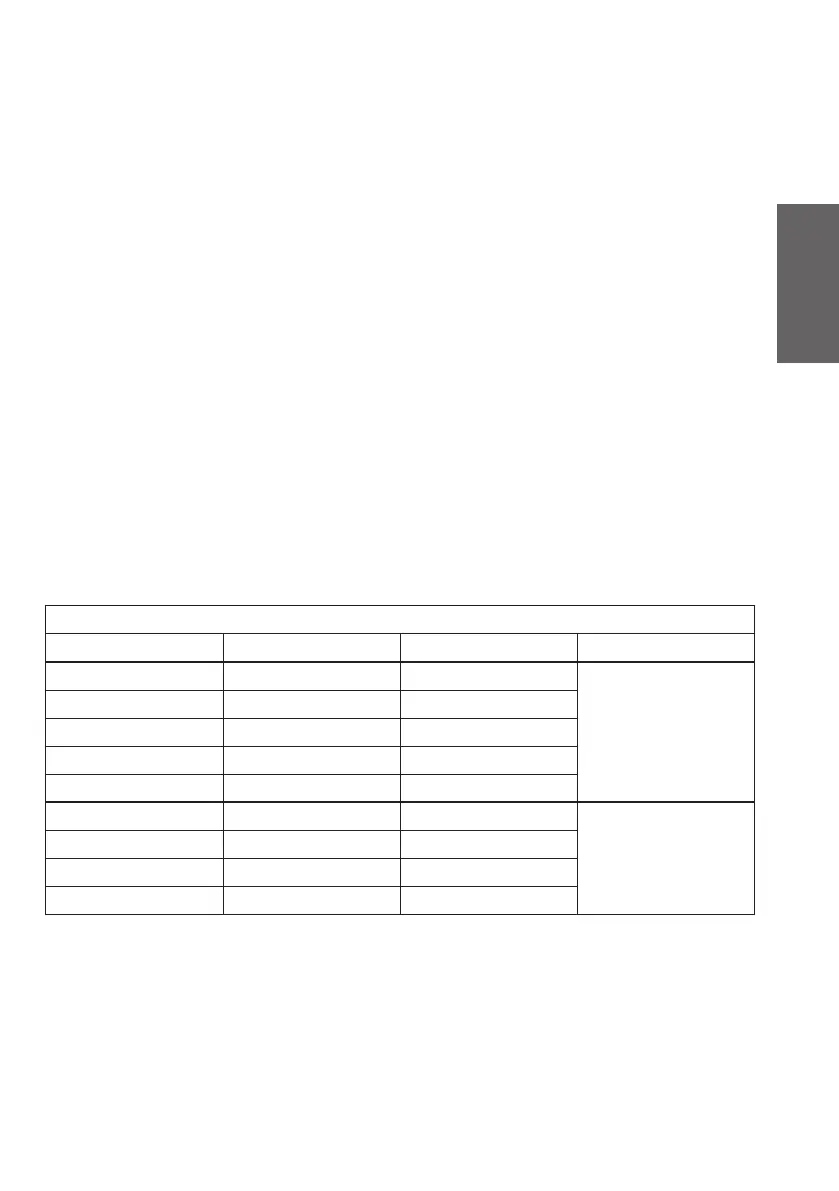
Your display will show a number appearing on the left-hand side next to the „VOL“ indication (see
table). This number corresponds to a certain predefi ned volume.
This volume may be increased or reduced with the aid of the turning-knob. A value of 4 corresponds
to maximum volume. Turning the value to 0 will shut the monitoring sound off. Depressing the SETUP-
button for a longer period of time (min. 2 seconds) will permanently store the volume-value currently
indicated on the display. A monitoring sound is audible during the store-procedure.
The device will automatically exit the SETUP-mode and switch to the PAUSE-mode. A short depression
of the SETUP-button will guide you to the next item of the SETUP-menu without having stored the
volume-settings.
Volume of the monitoring- and warning sounds
Display Monitoring sounds Warning sounds
4 very loud very loud monitoring- and warn-
ing sounds
3 loud loud
2 medium medium
1 low leise
0 off off
A1 off low warning sounds only
A2 off medium
A3 off loud
A4 off very loud
5.1.2 SETUP LEVEL 2: Setting of the initial parameters for “Cannula mode”
Double-clicking the SETUP-button will activate a program option which allows you to individually
preset the stimulation parameters for the cannula after the device is switched on. The parameters and
the manufacturer’s settings are listed below.
Depressing the SETUP-button for a longer period of time (min. 2 seconds) will permanently store the
values currently indicated on the display. A monitoring sound is audible during the store-procedure,
then you are redirected to the PAUSE-mode. A short depression of the SETUP-button will guide you to
the next item of the SETUP-menu without having changed the existing settings (see 3.8.3).
XS190174B MultiStim SWITCH GB.indd 35XS190174B MultiStim SWITCH GB.indd 35 12.03.10 13:5312.03.10 13:53


 To Next Page