Pakon Part#125307-B October 10, 2006 8
Operator Maintenance
Cleaning the Film Track
It is recommended to clean the film track every two weeks, along with the illumination
cleaning. Keeping the film track clean will ensure that DX code reading remains reliable. It will
also maintain the proper motor speed for each resolution. We recommend ensuring the film is
clean before putting it into the scanner.
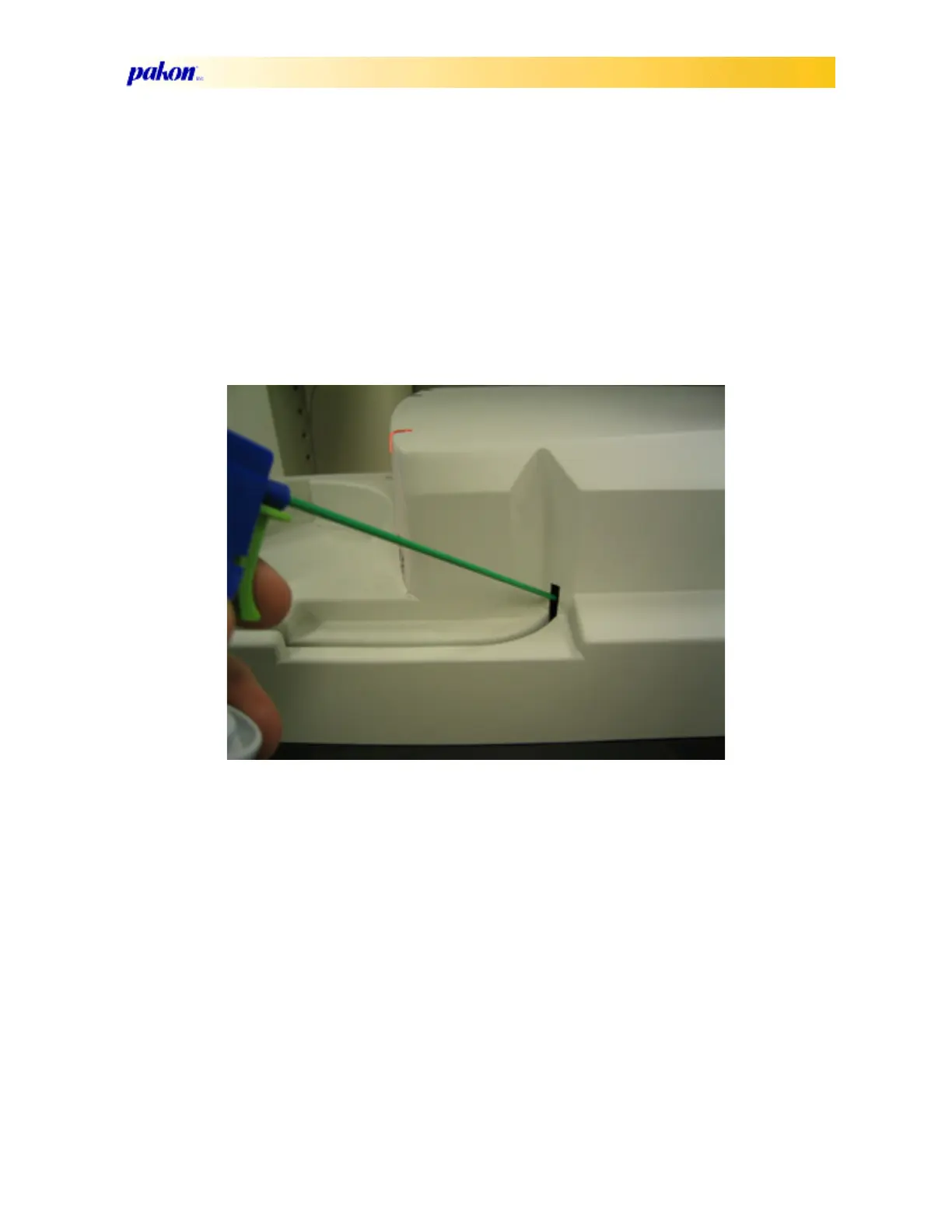
1. Position the tip of the compressed air hose in the film track entrance, and blow, moving the
hose up and down while blowing inside.
2. Follow the cleaning instructions for cleaning the scanner cover below.
3. After cleaning the film track, run the ‘Film Track Test’ in the client interface program.
Cleaning the Scanner Cover
1. Aim the hose of a can of compressed air into the film path--blowing the air away from the film
entrance.



 To Next Page