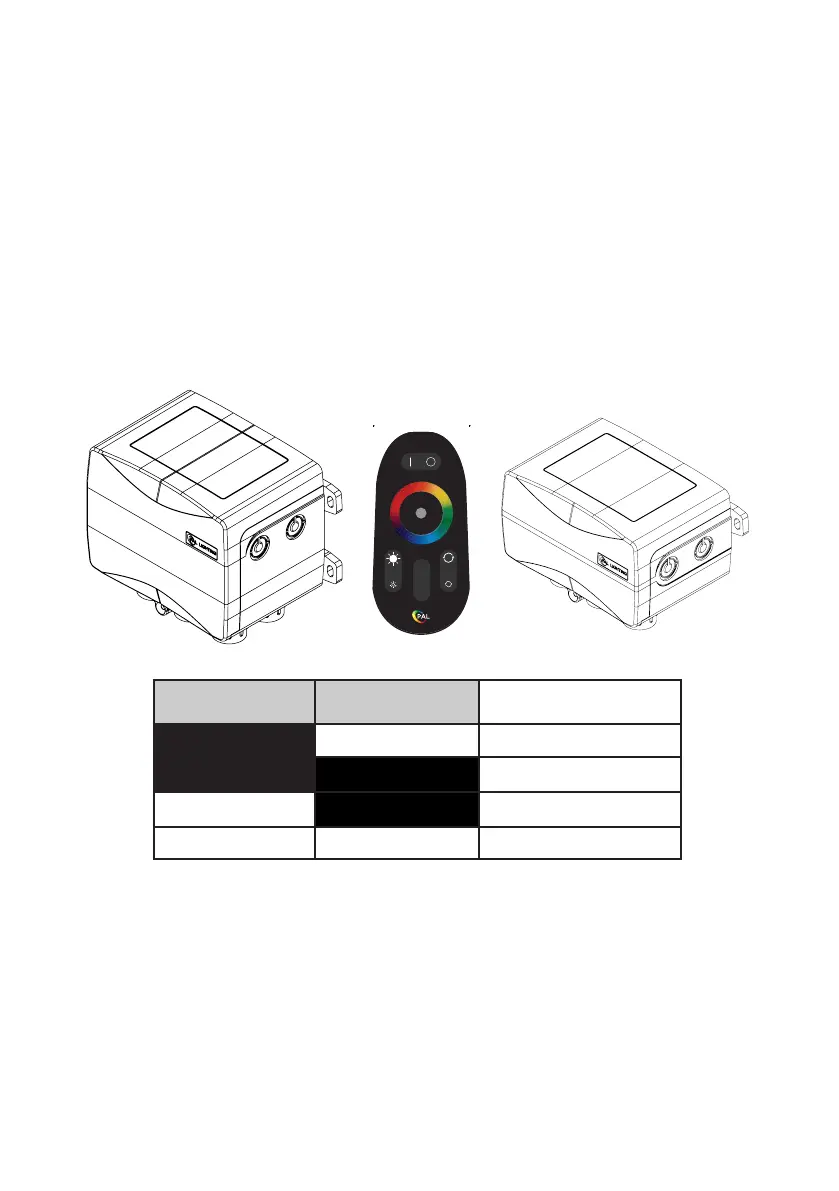
CONNECTING TO DRIVER
PAL COLOR TOUCH DRIVER
The PAL Treo Max is powered by the PAL PCR-1Z / PCR-2Z Class 2 LED Driver
Refer to PCR-1Z or PCR-2Z for Detailed Installation Instructions.
PCR-2Z Driver - up to 5 x lights
PCZ-2 Transmitter
NOTE:
• Must turn off power before making DIP switch selection.
• When syncing PAL lights to other OEM lights, static colors will match but color change mode
timing may vary.
• If the PAL Lights are to be used with Automation, do not use the handheld remote control and
disconnect the Wi-Fi module from the board if so equipped.
• If the Automation does not turn the PAL lights on or off and there is power to the driver, press the
S1 button one time to turn on the PAL Driver.
• Note that the PAL features of innite color selection and dimmability are not available while in
Cloned mode.
PCR-1Z Driver - up to 2 x lights
DIP 1 DIP 2
CLONING DIP SWITCH
SETTING
OFF ON JANDY
OFF OFF PENTAIR
ON OFF HAYWARD
ON ON PAL
7
Z
1
2
Z



 To Next Page