Answering a call
10 Palm
®
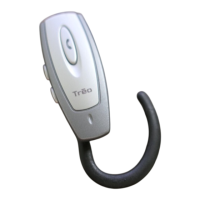
Treo™ Wireless Headset
Answering a call
0
4
To end a call, press and release the multifunction button , or press
the button to end a call on your phone’s keypad. A short beep sounds to
confirm that the call has ended.
1
Make sure the headset is turned on.
2
Answer a call:
From the headset When you hear the headset ring, press and release
the multifunction button . You cannot answer a call from the
headset until the headset begins ringing.
From the phone Press the button to answer a call on your phone’s
keypad. Depending on your phone, you may then need to press and
release the multifunction button to transfer the call to your
headset.
3
Increase or decrease the call volume by pressing the volume control
buttons . The tone volume increases or decreases to match the
call volume.
4
To end a call, press and release the multifunction button , or press
the button to end a call on your phone’s keypad. A short beep sounds
to confirm that the call has ended.


 To Next Page