Palm
®
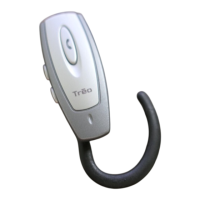
Treo™ Wireless Headset 5
Pairing with your Bluetooth
®
phone
Pairing with your Windows Mobile Treo smartphone
0
6
A status message appears, telling you that your smartphone is
connecting with your headset. When your smartphone asks for a
passkey, enter 0000 from your keypad, and then press OK.
7
On the confirmation screen, select Done.
1
Press and hold the headset multifunction button for eight
seconds, until you see a solid blue light.
2
On the smartphone, go to the Today screen and tap Bluetooth .
3
Check the Turn on Bluetooth box if it is not already checked.
4
Select the Devices tab, and then select New Partnership. When the
smartphone finds your headset, it displays “Treo Headset” with a
headphone icon next to it. Select “Treo Headset,” and then select Next.
5
When your smartphone asks for a passkey, enter 0000 from your
keypad, and then select Next.
6
Check the Hands Free box if it is not already checked, and then select
Finish. Press OK.


 To Next Page