Start here
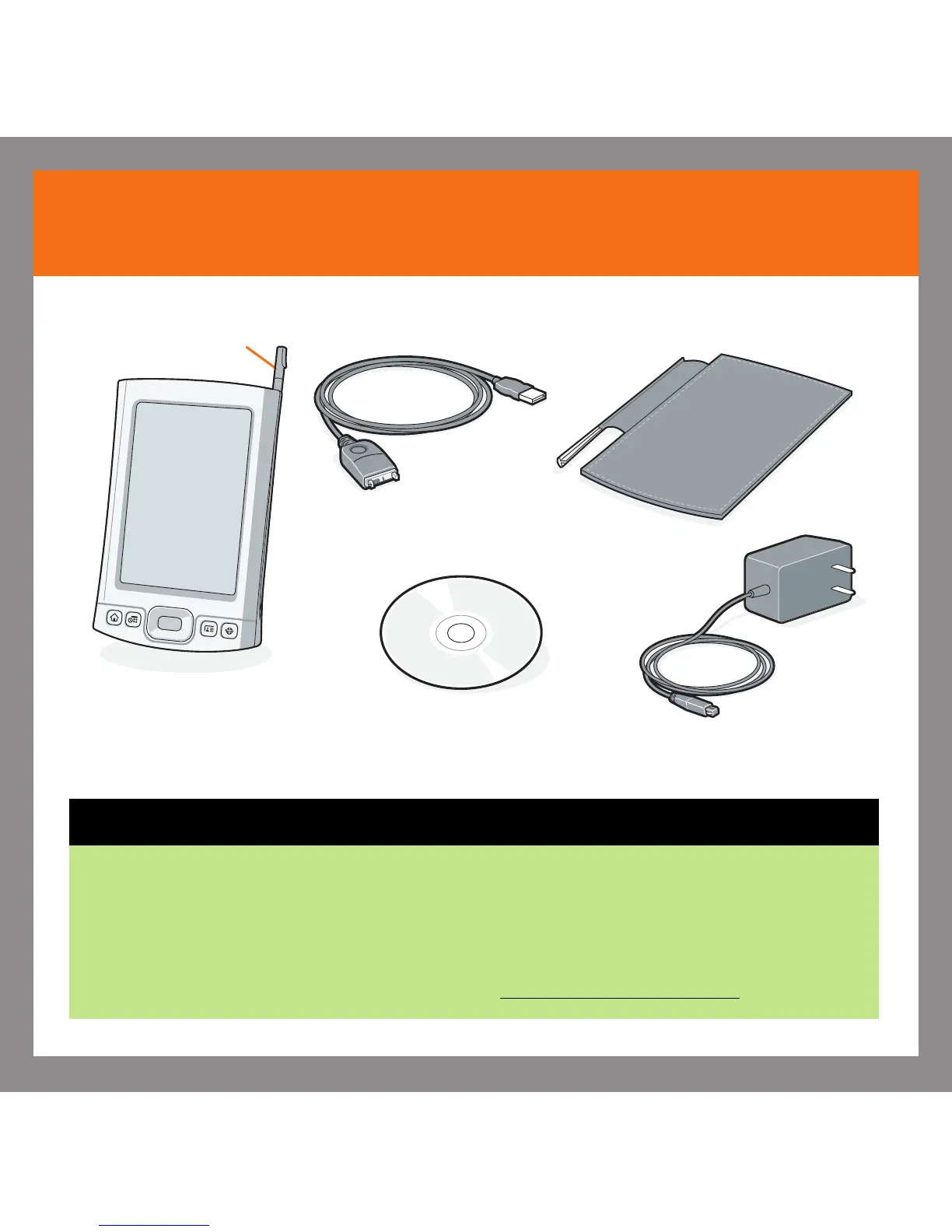
Software installation CD
Stylus
USB sync cable
Flip cover
AC charger
Palm
®
T|X handheld
Upgraders
Before going to step 1, synchronize your current handheld with your computer so
that the information is up-to-date.
Be sure to install the new software from the CD as described in step 3 below;
otherwise, your new handheld will not work correctly.
For more information on upgrading, go to www.palm.com/support
.







 To Next Page