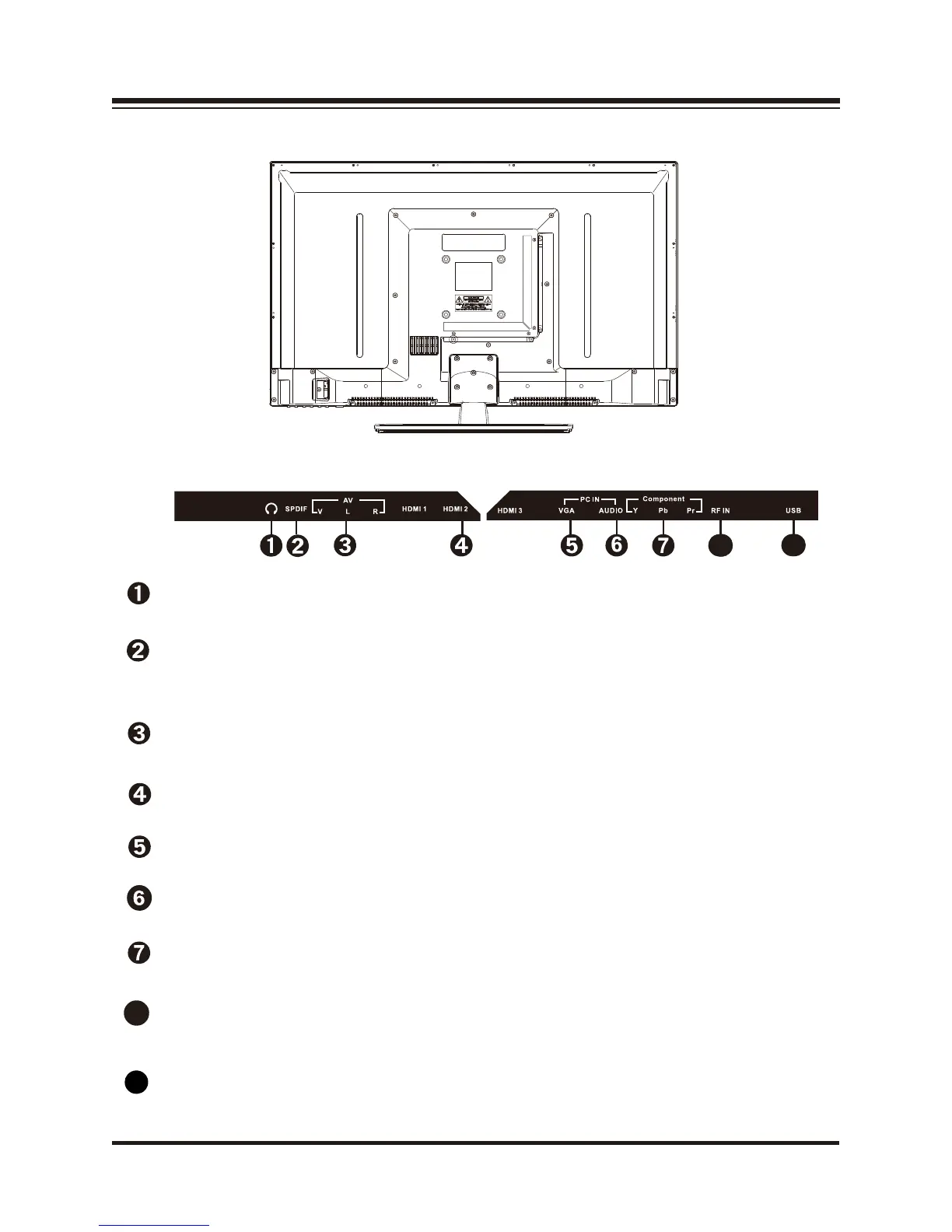
Back view
USB
Connect to portable USB device such as USB fl ash / hard device.
HDMI 1 2 3 IN
Connect to the HDMI output of your device.
Connect to the VGA output of your device.
PC AUDIO
VGA
Connect to the audio output of your PC
(earphone jack)
YPbPr
Connect to the component output of your component device.
A
V IN
Connect to the audio and video output of A/V device.
RF IN
SPDIF
Connect to the UHF antenna or coaxial cable from local TV.
3
Connect an optional coaxial digital cable (not included) through
a compatible amp/receiver to enjoy superior audio sound.
8
9
8
8
8
9
HEADPHONE
Connect a stereo headphone (3.5mm)
for private listening.


 To Next Page