EasyManua.ls Logo

Panacom SP-3412 - Device

Panacom SP-3412
20 pages
Print Icon
To Next Page IconTo Next Page
To Previous Page IconTo Previous Page
Loading...
Pg. 2
DEVICE
DEVICE
DEVICE
DEVICE
DEVICE
RECHARGE
BATTERY STATUS
FULL
CHARGING PORT
CHARGE OFF ON
+
-
DC 12V
15
17
8
9
7
6
5
4
3
2
1
14
13
12
11
10
16
12
15
24
23
27
19
20
16
12
23
26
19
20
21
22
21
22
12
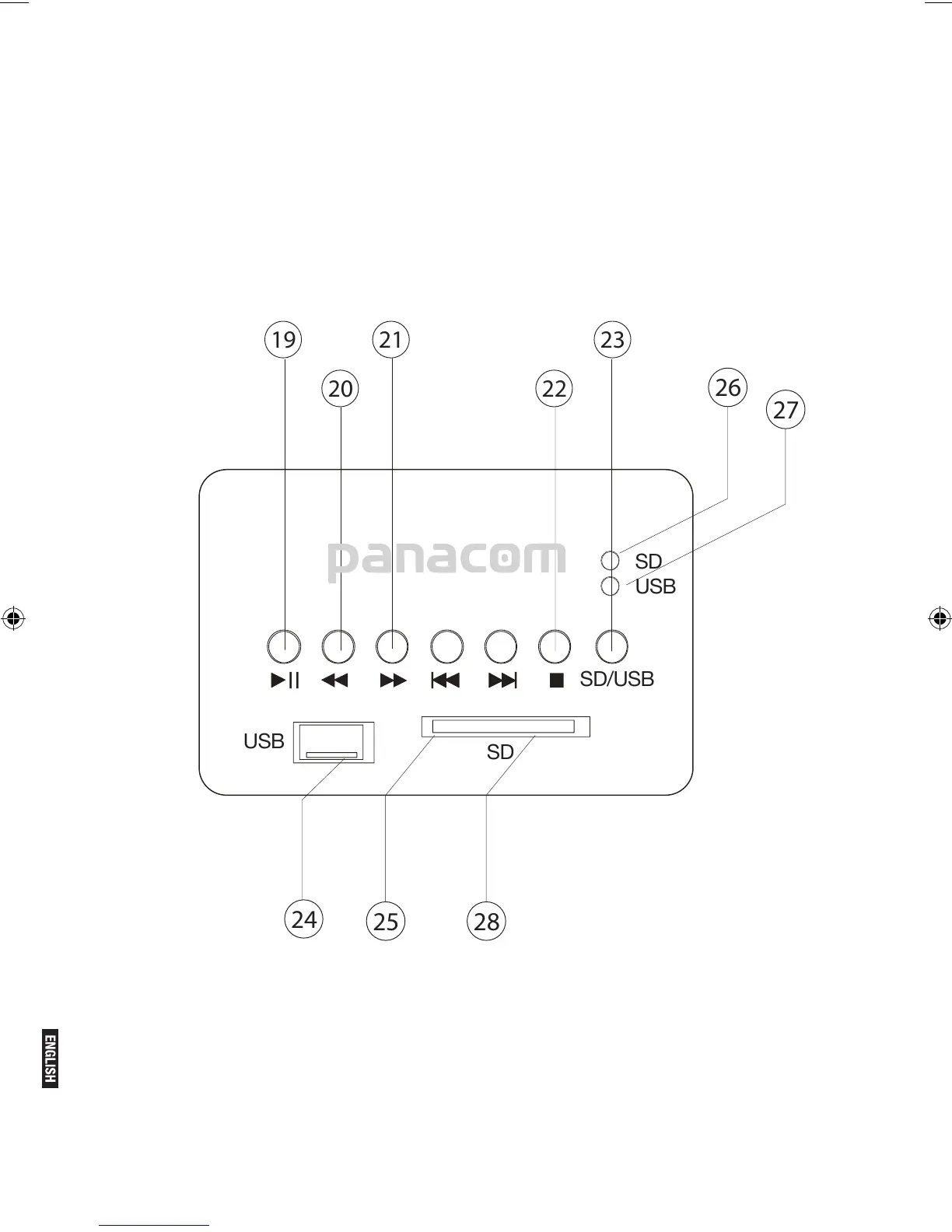
USB
SD
SD/USB
SD
USB
DEVICE
CONTROL PANEL
DEVICE
DEVICE
16.
17.
18.
19.
20.
21.
22.
23.
24.
25.
26.
27.
28.
10.
11.
12.
13.
14.
15.
Thanks for purchasing Portable Speaker SP-3412 PANACOM.
Please read this manual carefully before using this Speaker.
DEVICE
DEVICE
DEVICE
DEVICE
DEVICE DEVICE
DEVICE
DEVICE
DEVICE
DEVICE
device
DEVICE
DEVICE
DEVICE
DEVICE
19 21 23
20 22
24
25 28
26
27
USB
SD
SD/USB
SD
USB
WIRELESS OPERATION
For the Wireless operation and connection
1. Turn the FUNCTION knob to the WI/AUX position
2. Wireless light is blinking
3. Turn on your Mobile wireless function and search
SP-3412

Related product manuals