EasyManua.ls Logo

Panasonic AG-7500 - Page 9

Panasonic AG-7500
34 pages
Print Icon
To Next Page IconTo Next Page
To Previous Page IconTo Previous Page
Loading...
eee
nS
@
®
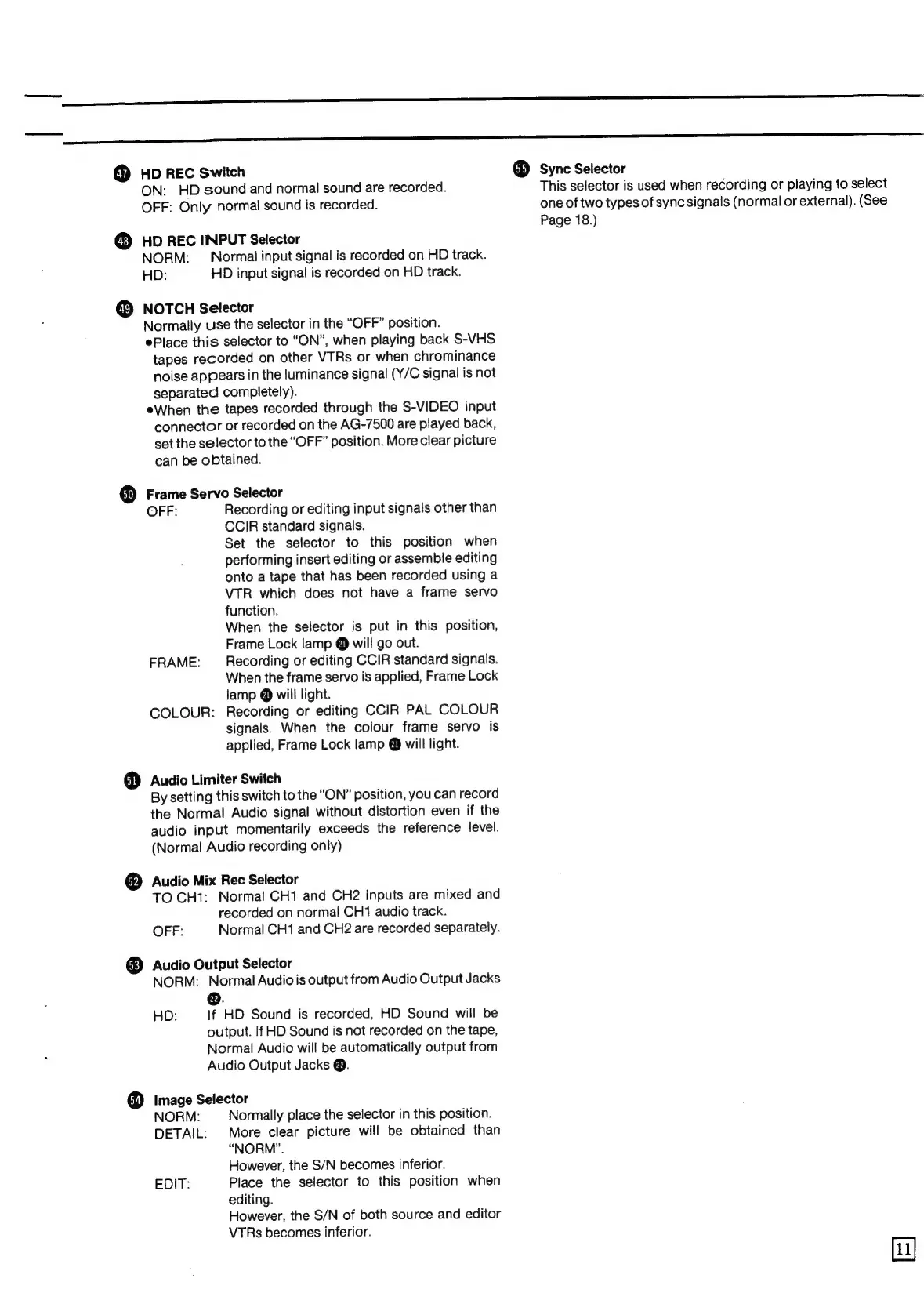
HD
REC
Switch
ON:
HD
sound
and
normal
sound
are
recorded.
OFF:
Only
normal
sound
is
recorded.
HD
REC
IINPUT
Selector
NORM:
—
Normal
input
signal
is
recorded
on
HD
track.
HD:
HD
input
signal
is
recorded
on
HD
track.
NOTCH
Selector
Normally
use
the
selector
in
the
“OFF”
position.
Place
this
selector
to
“ON”,
when
playing
back
S-VHS
tapes
recorded
on
other
VTRs
or
when
chrominance
noise
appears
in
the
luminance
signal
(Y/C
signal
is
not
separated
completely).
eWhen
the
tapes
recorded
through
the
S-VIDEO
input
connector
or
recorded
on
the
AG-7500
are
played
back,
set
the
selector
to
the
“OFF”
position.
More
clear
picture
can
be
obtained.
Frame
Servo
Selector
OFF:
Recording
or
editing
input
signals
other
than
CCIR
standard
signals.
Set
the
selector
to
this
position
when
performing
insert
editing
or
assemble
editing
onto
a
tape
that
has
been
recorded
using
a
VTR
which
does
not
have
a
frame
servo
function.
When
the
selector
is
put
in
this
position,
Frame
Lock
lamp
@
will
go
out.
FRAME:
_
Recording
or
editing
CCIR
standard
signals.
When
the
frame
servo
is
applied,
Frame
Lock
lamp
@
will
light.
COLOUR:
Recording
or
editing
CCIR
PAL
COLOUR
signals.
When
the
colour
frame
servo
is
applied,
Frame
Lock
lamp
@
will
light.
Audio
Limiter
Switch
By
setting
this
switch
to
the
“ON”
position,
you
can
record
the
Normal
Audio
signal
without
distortion
even
if
the
audio
input
momentarily
exceeds
the
reference
level.
(Normal
Audio
recording
only)
Audio
Mix
Rec
Selector
TO
CH1:
Normal
CH1
and
CH2
inputs
are
mixed
and
recorded
on
normal
CH1
audio
track.
OFF:
Normal
CH1
and
CH2
are
recorded
separately.
Audio
Output
Selector
NORM:
Normal
Audio
is
output
from
Audio
Output
Jacks
@.
HD:
If
HD
Sound
is
recorded,
HD
Sound
will
be
output.
If
HD
Sound
is
not
recorded
on
the
tape,
Normal
Audio
will
be
automatically
output
from
Audio
Output
Jacks
@.
Image
Selector
NORM:
Normally
place
the
selector
in
this
position.
DETAIL:
More
clear
picture
will
be
obtained
than
“NORM”.
However,
the
S/N
becomes
inferior.
EDIT:
Place
the
selector
to
this
position
when
editing.
However,
the
S/N
of
both
source
and
editor
VTRs
becomes
inferior.
@®
Sync
Selector
This
selector
is
used
when
recording
or
playing
to
select
one
of
two
types
of
sync
signals
(normal
or
external).
(See
Page
18.)