Ideal for Active Use
Improvements in operating ease, mobility and reliability make the AG-DVX100A ideal for professionals.
Wide-Angle/Zoom Lens Answers Professional Needs
The AG-DVX100A's zoom lens extends all the way to 4.5 mm
(equivalent to 32.5mm on a 35mm lens), covering the full wide-angle
range needed in most broadcast and professional shooting. It gives
you ample range for close-ups, recording in small rooms, and
self-recorded interviews. There's no need to carry around a bulky
wide-angle conversion lens. And with a minimum object distance
(MOD) of approximately 0.6 meter in telephoto mode,
the AG-DVX100A has the maneuverability of a handheld camera.
Fast, Smooth Cam-Driven Manual Zoom
The cam-driven (mechanical) manual zoom ring provides the same
smooth, easy zooming as cameras with interchangeable lenses. Its
direct operation gives you fast, precise zooming control. You'll also
notice the AG-DVX100A's improved operating feel.
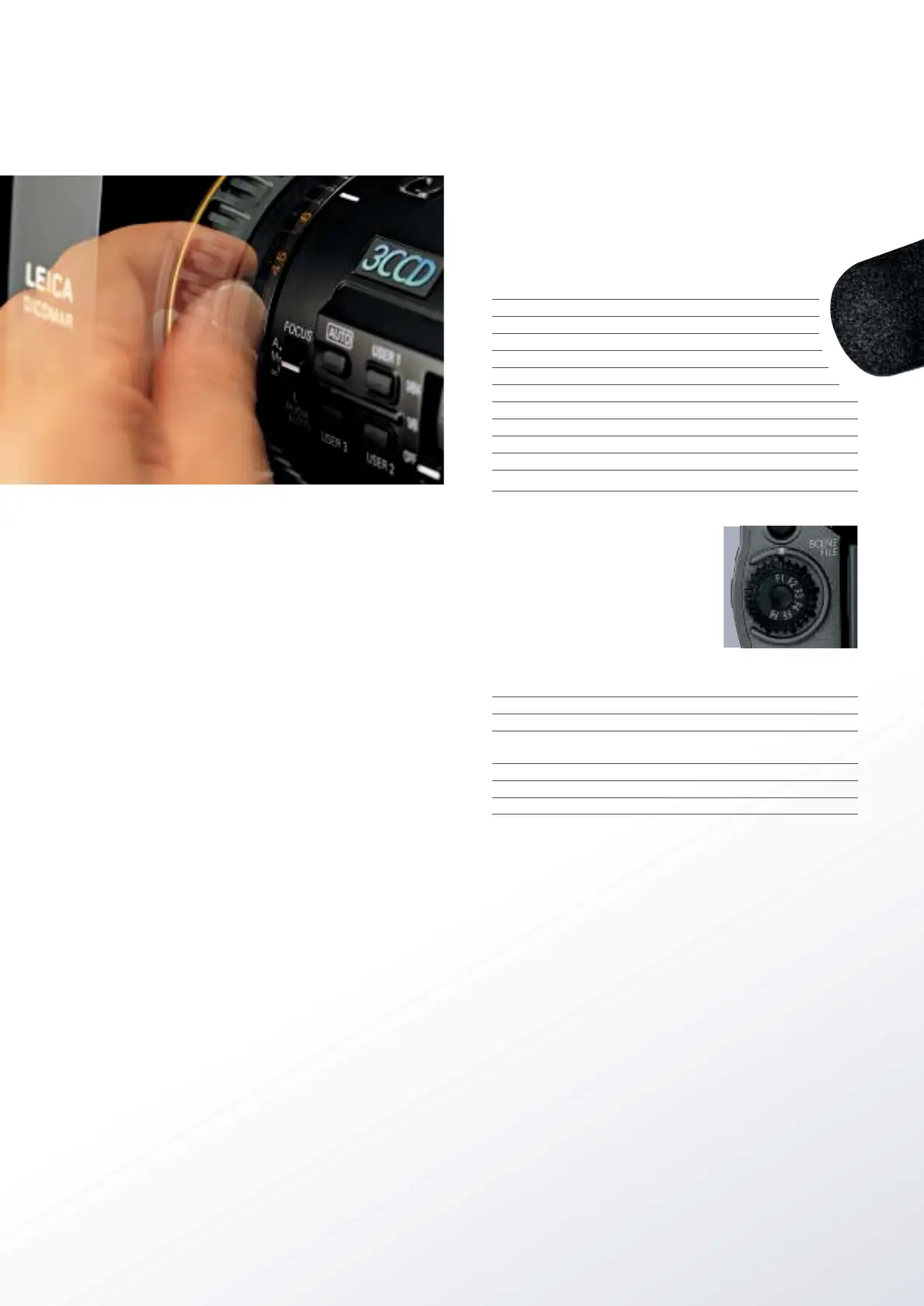
The AG-DVX100A is also equipped with a servo-driven zoom that
allows slow zooming at a speed of approximately 50% slower than
its predecessor. Slowest zoom has been reduced to a dramatic 30
seconds from 20 seconds.
Focus Assist
Enjoy quick, sharp focusing manually or automatically. In auto mode,
you get the quick, sharp focusing needed in news gathering or when
shooting at a high or low angle.
When set to infinity, the focal distance is immediately prepared for
the next manual focus. When in manual mode, pressing the Push
Auto button temporarily activates auto focus.
Macro Focus can be achieved either Manually or Automatically when
the zoom lens is in the wide angle position.
Three User Buttons for Customized Operation
The AG-DVX100A provides three user buttons, each of which can be
assigned any one of the 11 functions described below.
The assigned functions can then be accessed at the touch of a button.
This lets you customize the AG-DVX100A for quicker, easier,
more versatile operation.
Assignable Functions
COLOUR BAR Display/hide the colour bar
SPOTLIGHT Auto iris spotlight correction ON/OFF
BACKLIGHT Auto iris backlight correction ON/OFF
BLACKFADE Fade out to a black screen (linked with audio)
WHITEFADE Fade out to a white screen (linked with audio)
MODECHECK Display camera settings in viewfinder/monitor
ATW Auto tracking white balance function ON/OFF
ATWLOCK Lock/unlock white balance in ATW operation
GAIN 18dB Switch the gain to +18 dB
INDEX Write the index signal
SLOW SHUT Slow shutter mode ON/OFF
Scene File Dial Provides Quick, Easy Setup
Set this dial for any particular shooting
conditions, and later you can retrieve the
settings instantly. Six preset files are
provided (F1 to F6, described below); you
can change any of the six file names and
their settings as desired. The AG-
DVX100A also introduces a new design in
which a rib protects the scene file dial to
prevent unintentional file changes.
File Description
F1: — Standard settings
F2: FLUO. Indoor shooting under fluorescent lights
F3: SPARK Highlighting subjects at receptions, dinners,
and other gatherings
F4: B-STR Enhanced gradations of luminance in low light scenes
F5: SCENE 25P
25p mode + Cine-Like-V gamma
F6:
SCENE CINE
25p mode + Cine-Like-D gamma
3-Position White Balance with Auto Tracking White Function
One press of the AWB button is all it takes to adjust the white
balance and black balance. There are three white balance values to
select from: one that's preset, and two (A, B) that you can set and
save in memory. The auto tracking white balance (ATW) function
can also be assigned to any of the three positions. The ATW mode
supports fast, active shooting by adjusting the white balance in real-
time as lighting conditions change.
Auto Button for Instant, Easy Shooting
Just press the Auto button to turn on Auto Iris, Auto Gain, Auto
Tracking White Balance, and Auto Focus — and you are quickly
ready to shoot. You can also customize the Auto button by removing
functions and setting the gain to any value desired.
With this new Auto function, the AG-DVX100A gives you the best of
both worlds -- the speed and ease of automatic operation, and the
precision of manual control.


 To Next Page
 Loading...










