EasyManua.ls Logo

Panasonic AG-DVX200PJ - User Manual

Panasonic AG-DVX200PJ
203 pages
Print Icon
To Next Page IconTo Next Page
Loading...
until
2015/9/30
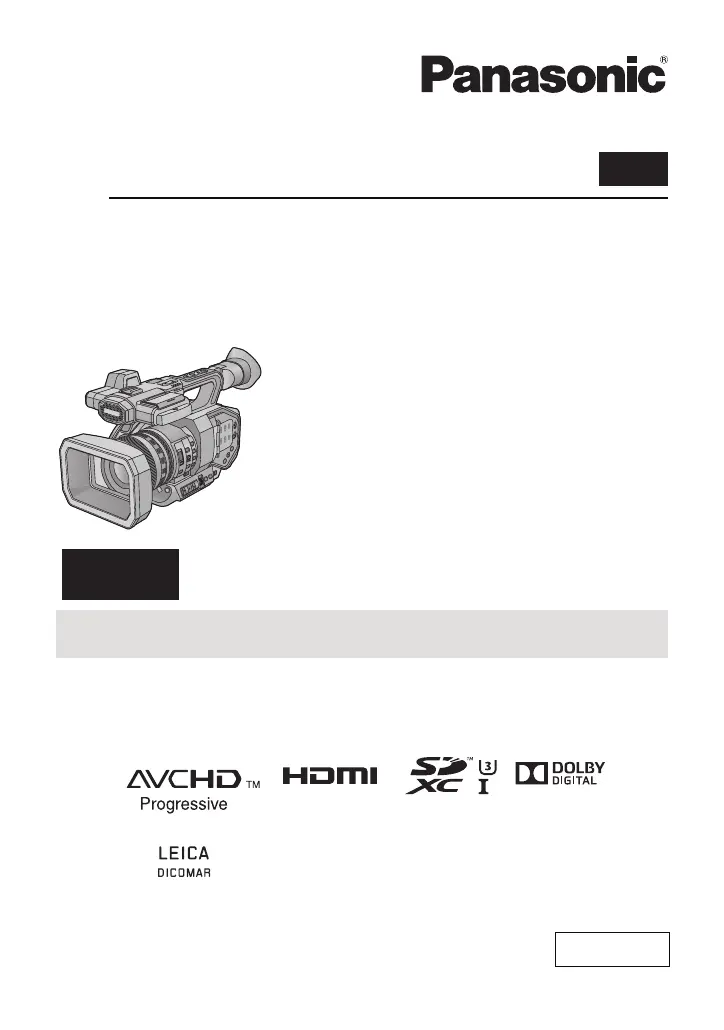
Operating Instructions
Memory Card Camera-Recorder
Model No. AG-DVX200PJ
AG-DVX200PB
AG-DVX200PX
AG-DVX200EJ
AG-DVX200EN
AG-DVX200ED
Vol.2
Please read these instructions carefully before using this product, and save this manual for future
use.
This document explains in detail how to operate this device. Concerning basic operation, please
refer to the enclosed “Operating Instructions Vol.1” (printed document).
Vol.2
SQT1051
ENGLISH
F0815MT0

Table of Contents

Questions and Answers

  • D
    Dustin WareAug 14, 2025
    Why Panasonic Camcorder cannot be turned on or battery runs down quickly?
    • L
      lynnlyonsAug 14, 2025
      If your Panasonic Camcorder cannot be turned on, does not stay on long enough, or the battery runs down quickly, try charging the battery again to ensure it is sufficiently charged. In cold environments, battery life may be shorter. Batteries have a limited lifespan. If the operating time remains too short even after a full charge, the battery is likely worn out and needs to be replaced.
  • C
    Christopher WilsonAug 17, 2025
    What to do if Panasonic AG-DVX200PJ is not detected by PC when connected by USB Cable?
    • P
      pramosAug 17, 2025
      If your Panasonic Camcorder is not detected by the PC when connected via USB cable, re-insert the SD card into the camcorder and reconnect the USB cable. Try using a different USB terminal on the PC. Check the operating environment. Restart the PC and turn on the camcorder again before reconnecting the USB cable.
  • J
    Joel WebbAug 21, 2025
    What to do if Panasonic AG-DVX200PJ displays “ERROR OCCURRED. PLEASE TURN UNIT OFF, THEN TURN ON AGAIN.”?
    • S
      Spencer Marshall DDSAug 21, 2025
      If your Panasonic Camcorder displays the message “ERROR OCCURRED. PLEASE TURN UNIT OFF, THEN TURN ON AGAIN,” it means the unit has automatically detected an error. Try restarting the unit by turning it off and then on again. If the unit isn't turned off and on, it will automatically power down in about 1 minute. If the error message continues to appear even after restarting, it indicates a need for repair. In this case, disconnect the power and consult the dealer from whom you purchased the unit. Do not attempt to repair the camcorder yourself.
  • S
    Shelley GonzalezAug 25, 2025
    Why does my Panasonic AG-DVX200PJ arbitrarily stop recording?
    • J
      John WilliamsAug 25, 2025
      If your Panasonic Camcorder arbitrarily stops recording, ensure that you are using an SD card suitable for motion picture recording. The recordable time may be reduced due to the data writing speed deterioration, or repeated recording and deletion. Format the SD card using the camcorder.
  • N
    Nancy BryantAug 27, 2025
    What to do if Panasonic Camcorder cannot be operated?
    • N
      Nathan FryeAug 28, 2025
      If your Panasonic Camcorder cannot be operated even when it is turned on, or if it is not operating normally, remove the battery or AC adapter. Wait for about 1 minute, then reconnect either the battery or the AC adapter. After another minute, turn the unit on again. Note that performing these steps while the SD card is being accessed may damage the data on the media. If normal operation is still not restored, detach the power connected, and consult the dealer who you purchased this unit from.
  • Y
    yayalaAug 31, 2025
    Why scenes/still pictures cannot be deleted on Panasonic AG-DVX200PJ?
    • M
      Misty WilsonAug 31, 2025
      If you cannot delete scenes or still pictures on your Panasonic Camcorder, release the protect setting. Scenes or still pictures with thumbnails displayed as cannot be deleted. If these scenes or still pictures are not needed, format the SD card to erase the data. Note that formatting the SD card will erase all recorded data, which cannot be recovered, so back up important data on a PC.
  • K
    Kayla MccarthySep 3, 2025
    Why function display is not displayed on Panasonic Camcorder?
    • S
      Samuel PotterSep 3, 2025
      If your Panasonic Camcorder's function display (Remaining Display, Counter Display, etc.) is not showing, check if the [CARD & BATTERY] or [OTHER DISPLAY] setting in the [DISP SETUP] menu is set to [OFF]. Press the COUNTER button to switch the counter display.
  • B
    Brian ClarkSep 6, 2025
    Why color or brightness of the image changes on Panasonic AG-DVX200PJ?
    • T
      Tracy LeSep 6, 2025
      If your Panasonic Camcorder shows color or brightness changes in the image, or you see horizontal bars, or the LCD monitor flickers indoors, it might be due to recording under fluorescent, mercury, or sodium light. This is not a malfunction. Try recording images in Auto Shutter Mode, or adjust the shutter speed to 1/50, 1/60, or 1/100. You can also adjust the Synchro Scan shutter speed.
  • L
    Leslie MoralesSep 10, 2025
    What to do if images cannot be seen on external monitor connected to Panasonic AG-DVX200PJ?
    • M
      Melissa ReyesSep 10, 2025
      If your Panasonic Camcorder is connected to an external monitor but you cannot see images, or the images are squeezed horizontally, consult the operating instructions of your external monitor to select the channel that matches the input used for the connection. Also, adjust the setting of the unit depending on the cable used to connect to the external monitor.

Summary

Preparation and Initial Setup

Main Parts and Controls Overview

Identifies and describes all external buttons, terminals, and components of the camera.

Power Supply and Battery Management

Covers battery usage, charging procedures, and power supply options for the unit.

Recording Operations

Capturing Motion Pictures

Detailed steps for recording video, including understanding on-screen indicators.

Capturing Still Pictures

Instructions for taking still photos and interpreting related display information.

Image Quality and Focus Adjustments

Covers picture quality, focus control, zoom, and image stabilizer settings.

White Balance and Exposure Control

Adjusting white balance, iris, gain, and shutter speed for optimal exposure and color.

Audio Recording Setup

Configuration for audio input sources, levels, ALC, and recording methods.

USER Button Customization and Functions

Details on assigning and utilizing custom functions via USER buttons for efficient operation.

Playback and Editing

Motion and Still Picture Playback

Guide to selecting media and playing back recorded motion and still pictures.

Managing Recorded Content

Procedures for deleting, protecting, and copying recorded scenes and still pictures.

Menu Settings Reference

User Switch and Button Management

Managing USER button assignments, display, and physical switch settings for iris and gain.

Troubleshooting and Cautions

Panasonic AG-DVX200PJ Specifications

General IconGeneral
BrandPanasonic
ModelAG-DVX200PJ
CategoryCamcorder
LanguageEnglish

Related product manuals