EasyManua.ls Logo

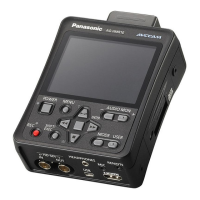
Panasonic AG-HMR10 - User Manual

Panasonic AG-HMR10
106 pages
Print Icon
To Next Page IconTo Next Page
Loading...
Reference Menu Displays Editing Playback Recording Preparation Description
of parts
Before use
This product is eligible for the AVCCAM
3 Year Warranty Repair Program. For
details, see page 7.
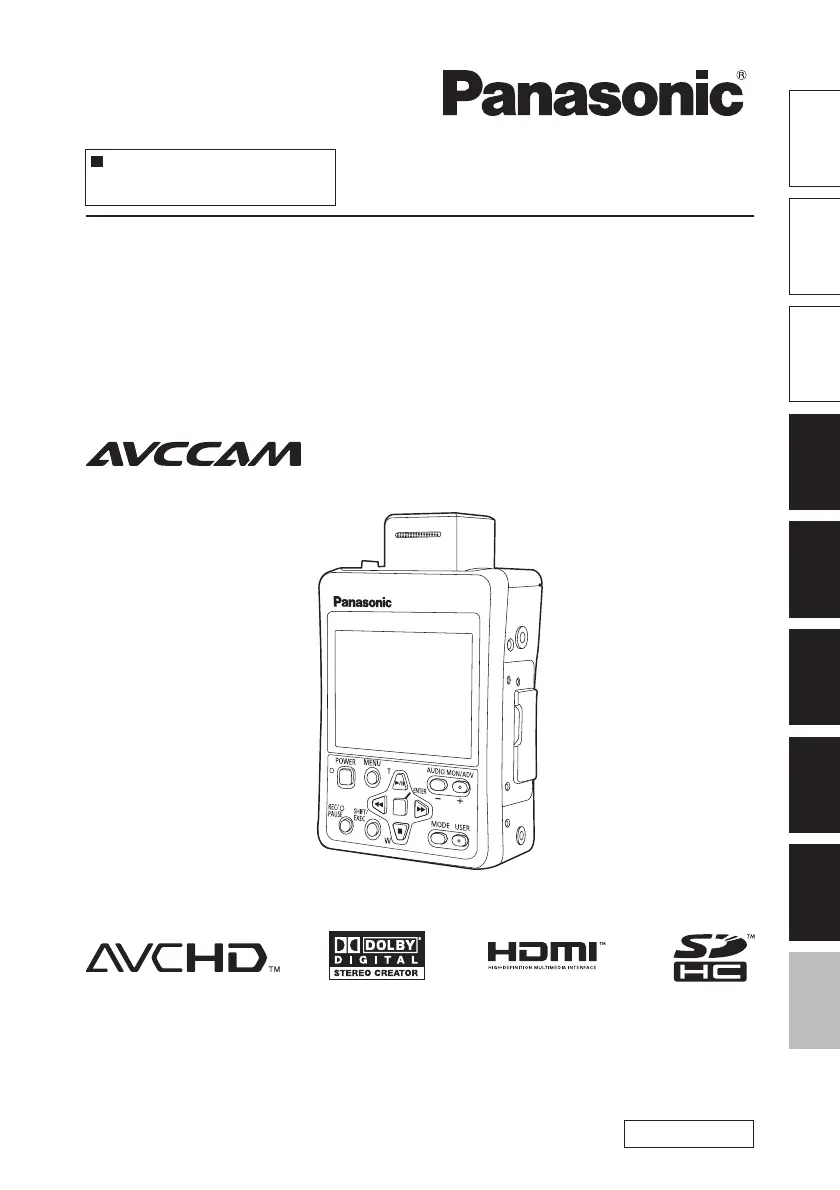
Operating Instructions
Memory Card Portable Recorder
Model No. AG-HMR10P
Model No. AG-HMR10E
S0809S0 -M
VQT2H54(E)
Before operating this product, please read the instructions carefully and save this manual
for future use.
ENGLISH

Table of Contents

Other manuals for Panasonic AG-HMR10

Questions and Answers

  • J
    Joseph TaylorAug 14, 2025
    Why does my Panasonic Camcorder power off as soon as I turn it on?
    • J
      Joe GordonAug 14, 2025
      If the remaining battery charge display is blinking or appears, it means the battery has run out. You should either recharge the battery or replace it with a fully charged one.
  • T
    Thomas KiddAug 17, 2025
    Why doesn't my computer recognize my Panasonic AG-HMR10 Camcorder when connected via USB?
    • S
      Shane EdwardsAug 17, 2025
      Your computer may not recognize the Panasonic Camcorder if the operating mode setting is incorrect. Ensure that the recorder is set to PC mode, as it will not be recognized in REC or PB mode.
  • H
    Heather HudsonAug 21, 2025
    How to fix incorrect battery display on Panasonic AG-HMR10 Camcorder?
    • D
      Danielle SwansonAug 21, 2025
      To ensure the remaining battery capacity is displayed correctly on your Panasonic Camcorder, use the battery completely from a fully-charged state, and then charge it again.
  • W
    William FloresAug 25, 2025
    Why does the battery on my Panasonic AG-HMR10 run down so quickly?
    • E
      elliottjanetAug 26, 2025
      If your Panasonic Camcorder battery runs down quickly, ensure it is fully charged until the AC adapter’s CHARGE lamp goes out. Keep in mind that the battery's operating time is reduced in low-temperature environments. Also, the battery may have reached the end of its service life and may become unchargeable.
  • A
    Ann MurphyAug 28, 2025
    What to do if Panasonic AG-HMR10 cannot record even when SD card is inserted?
    • E
      Evelyn MoralesAug 28, 2025
      If the SD Memory Card's write-protect switch is in the “LOCK” position, the card cannot be recorded to. Also, ensure that the remaining memory available on the SD Memory Card is not extremely low. If it is, save contents onto different media, delete unneeded data, or use a new card. The SD Memory Card should be correctly formatted, or reformat the card with the unit. Note that 8 MB - 16 MB SD Memory Cards cannot be used.
  • K
    Kelly RodriguezSep 1, 2025
    Why does my Panasonic AG-HMR10 Camcorder turn off for no reason?
    • W
      William BrownSep 1, 2025
      To prevent the battery from running down needlessly, the Panasonic Camcorder automatically turns off when it has been left in the shooting pause mode for more than 5 minutes. Check [POWER SAVE] in the [OTHER FUNCTIONS] setup menu.
  • M
    Melissa ReyesSep 5, 2025
    How to fix no sound from Panasonic Camcorder speaker?
    • S
      steven12Sep 5, 2025
      You may have turned down the recorder’s volume control too far. Adjust the volume level using the [AUDIO MON/ADV] button +.
  • M
    Melissa SmithSep 9, 2025
    Why can't my Panasonic AG-HMR10 Camcorder focus while zooming?
    • D
      Daniel PierceSep 9, 2025
      Sometimes when focus control is in the macro range, the zoom position is at the wide end or telephoto end, and the camera cannot focus while zooming.

Summary

Read this first!

IMPORTANT SAFETY INSTRUCTIONS

Essential safety precautions to prevent hazards and ensure proper operation.

Recommendation for Use of Genuine Panasonic Battery

Guidance on using genuine Panasonic batteries for safety and product longevity.

Before use

Operating precautions

Guidelines for safe and optimal use of the portable recorder and SD card.

Accessories

List of included accessories for the portable recorder.

Description of parts

Operation panel, LCD and system parts

Identifies and explains the front, rear, and side components of the recorder.

Terminals and system parts

Details the various input/output terminals and their functions on the recorder.

Preparation

Power sources

Instructions on charging and using the battery and AC adapter.

Operation modes

Explains the three operating modes: REC, PB, and PC.

SD Memory Cards

Covers card insertion, protection, formatting, and repair procedures.

Recording

Recording onto an SD Memory Card (REC mode)

Details how to record video and audio onto an SD Memory Card using SDI or CAM modes.

Setting the time code

Instructions for setting and specifying time code values for recordings.

Useful recording and shooting functions

Covers functions like white balance, focus assist, and key lock.

Playback

Clip playback (PB mode)

How to play back recorded clips, control playback, and navigate.

Thumbnail operations

Customizing thumbnail display and managing clips like deleting or adding indexes.

Editing

Connecting external devices

How to connect headphones and external microphones.

Connecting to a computer (nonlinear editing;file transfer)

Steps for connecting the recorder to a PC for editing and file transfer.

Displays

Regular displays

Explains various on-screen indicators like time code, media info, and battery status.

Main warning displays

Lists and describes common error messages and warnings shown on the LCD.

Menu

Recording (REC) mode menu

Structure and options for the REC mode setup menus.

Playback (PB) mode menu

Structure and options for the PB mode setup menus.

Setup menu list (continued)

Detailed descriptions of menu items within CAMERA SETUP.

Reference

Troubleshooting

Solutions for common issues related to power, battery, shooting, recording, editing, and displays.

Cleaning

Instructions on how to clean the portable recorder.

Storage Precautions

Guidelines for storing the recorder, battery, and memory cards properly.

Panasonic AG-HMR10 Specifications

General IconGeneral
Recording FormatAVCHD
Video Resolution1920 x 1080
Storage MediaSD/SDHC/SDXC Memory Card
Optical Image StabilizationYes
ViewfinderNo
HDMI OutputYes
USB InterfaceUSB 2.0
Audio FormatDolby Digital 2ch
Video OutputComponent, Composite
Audio OutputRCA
Image Sensor1/4.1" MOS sensor
Effective Pixels2.07MP
LCD Screen3.5 inch LCD
MicrophoneStereo

Related product manuals