54
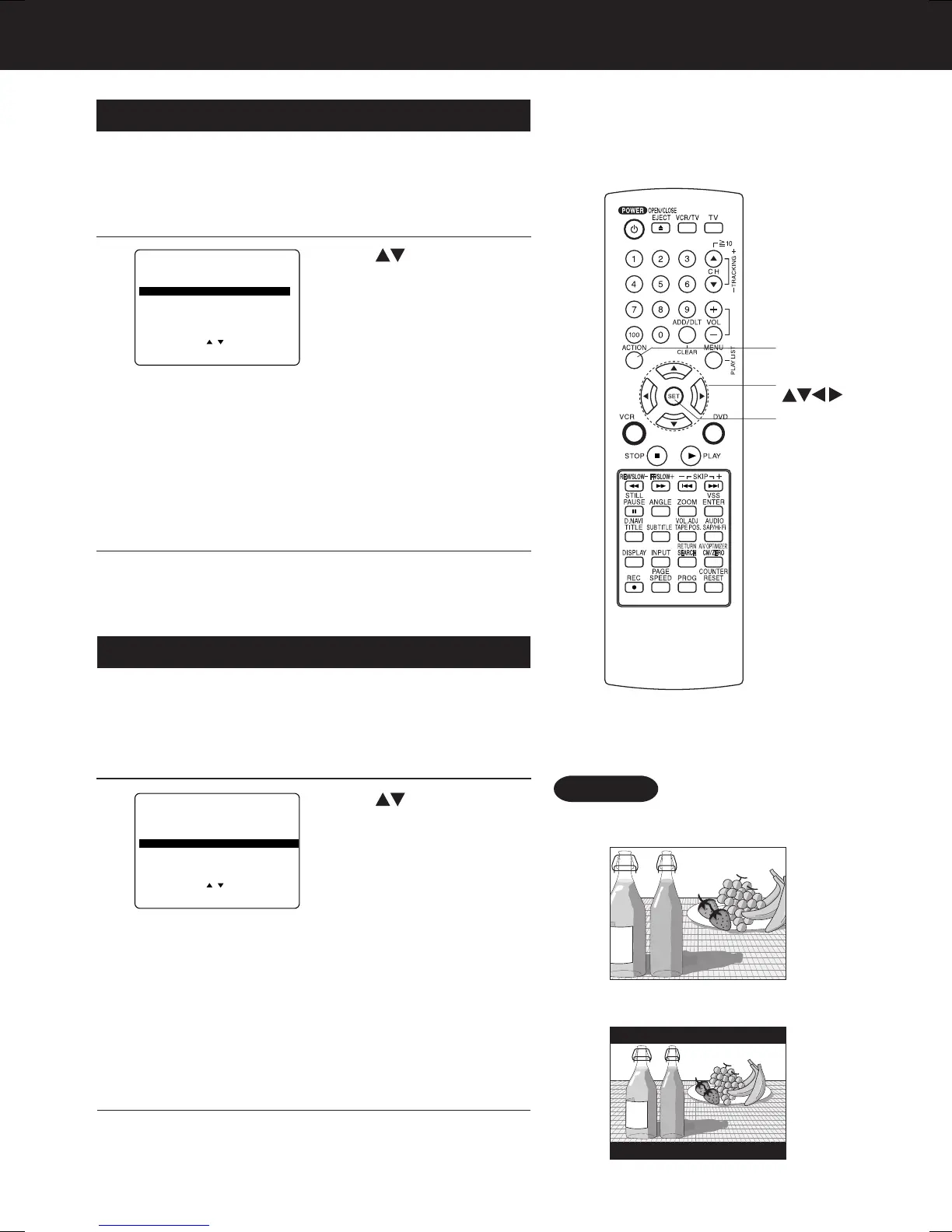
Still Mode (DVD only)
1
Press
to select “STILL MODE,”
and
press
SET
repeatedly
for mode. (See below.)
2
AUTO: “FIELD” (Field still) or “FRAME” (Frame still) is
automatically selected during the still mode.
(Factory preset)
FIELD: “FIELD” (Field still) is always selected.
This setting will reduce jitter when compared
with “AUTO” on some discs.
FRAME:“FRAME” (Frame still) is always selected.
Some texts and fine patterns will be seen clearly
when compared with “AUTO” on some discs.
TV Mode (DVD only)
1
Press
to select “TV MODE,”
and press
SET
repeatedly for mode.
(See below.)
2
4:3 Pan & Scan (Factory preset) :
Wide-screen video data is played in Pan & Scan
style (left and right of screen is trimmed.)
• Video data not formatted in Pan & Scan will play
in letterbox style.
4:3 Letterbox :
Wide-screen video data is played in Letterbox
style (top and bottom of screen has black margin).
16:9 :
Set “16:9” when using Wide-screen TV.
Set the screen display style for wide-screen video
material playback.
Set to reduce jitter in a displayed still picture or a motion
picture.
3
Press
ACTION
to exit this mode.
Press
ACTION
to exit this mode.
3
Press
ACTION
*
to display DVD MAIN MENU.
Press
ACTION
to display DVD MAIN MENU.
• Pan & Scan (Factory preset)
• Letterbox
Example
SET
ACTION
SELECT
Settings for DVD Operation (continued)
DVD MAIN MENU
SELECT :
SET : SET
END : ACT ION
DI SC LANGUAGES
AUDIO OUTPUT
ST I LL MODE :
AUTO
TV MODE : 4 : 3 P a n&Scan
PRO
GRESSIVE OUT
: OFF
DVD MAIN MENU
SELECT :
SET : SET
END : ACTION
DI SC LANGUAGES
AUDIO OUTPUT
ST I LL MODE :
AUTO
TV MODE : 4 : 3 P a n&Scan
PRO
GRESSIVE OUT
: OFF
AG-VP310 P36-72 (040510).p65 2004/05/10, 15:0154







 To Next Page