EasyManua.ls Logo

Panasonic AK-HRP250G - User Manual

Panasonic AK-HRP250G
52 pages
Print Icon
To Next Page IconTo Next Page
Loading...
Operating Instructions
Excerpted Version
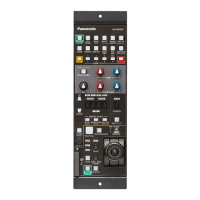
Remote Operation Panel
Model No. AK-HRP250G
ENGLISH
Excerpted
Version
Before using this product, be sure to read Read this first!” (pages 3 to 5).
This manual is an excerpted version of the full Operating Instructions.
For more information, please visit the Panasonic website (https://pro-
av.panasonic.net/manual/en/index.html), and refer to the Operating Instruction (HTML).
DEUTSCH
Bitte lesen Sie sorgfältig die „Bitte lesen Sie zuerst diesen Hinweis! vor der Nutzung dieses
Produkts. (Seiten 6 bis 7).
Weitere Informationen finden Sie auf der Panasonic-Webseite (https://pro-
av.panasonic.net/manual/en/index.html) und in der Bedienungsanleitung (HTML).
FRANÇAIS
Avant d’utiliser cet appareil, assurez-vous de lire la section « Lire ces informations en premier !
» (pages 8 à 9).
Pour de plus amples informations, visiter le site Web de Panasonic (https://pro-
av.panasonic.net/manual/en/index.html) et consulter le mode d’emploi (HTML).
ITALIANO
Prima di utilizzare il prodotto, assicurarsi di leggere “Leggere prima quanto segue!” (pagine da
10 a 11).
Per maggiori informazioni, per favore visitare il sito web Panasonic (https://pro-
av.panasonic.net/manual/en/index.html), e fare riferimento alle istruzioni per l’uso (HTML).
ESPOL
Antes de usar este producto, aserese de leer Lea esto primero(páginas 12 a 13).
Si desea obtener más información, visite el sitio web de Panasonic (https://pro-
av.panasonic.net/manual/en/index.html) y consulte las instrucciones de funcionamiento
(HTML).
Before operating this product, please read the instructions carefully and save this manual for future use.
SS1020AM0 -PS
Printed in Japan
DVQX2148ZA
ENGLISH

Table of Contents

Question and Answer IconNeed help?

Do you have a question about the Panasonic AK-HRP250G and is the answer not in the manual?

Summary

Read This First!

General Safety Warnings

Covers fire, moisture, liquids, memory card safety, and interference.

User Precautions

Advises on not removing covers, using recommended accessories, and avoiding electrical shock.

Important Safety Instructions

Essential Safety Guidelines

Lists 14 essential safety instructions for operation and maintenance.

EMC Compliance Notice

Explains EMC compliance, peripheral equipment, and performance levels.

Introduction

Manual Navigation and Content

Guidance on manual usage, trademarks, copyright, illustrations, and abbreviations.

Product Overview

Defines the unit as a remote operation panel for cameras/CCUs and its basic function.

System Requirements and Notices

Covers PC requirements, warranty disclaimer, network security, and user authentication.

Usage Restrictions and Software

Details network use restrictions, memory card compatibility, and software updates.

Features

Key Product Capabilities

Highlights features like camera/CCU control, file storage, network, and PoE connectivity.

Usage and Handling Precautions

Covers careful handling, temperature, power, humidity, cleaning, flames, water, and disposal.

Installation and Mounting

Installation and Connection Precautions

Advises on cable connections, PoE, grounding, handling, foreign objects, and location.

Rack Mount Bracket Procedures

Instructions for attaching/removing rack brackets and securing the unit in a rack.

Parts and Functions

Front Panel 1 Controls

Describes the function of each button on the first front panel.

Front Panel 2 Controls

Describes the function of dials and buttons on the second front panel.

Front Panel 3 Controls

Explains indicators and buttons on the third front panel.

Front Panel 4 Controls

Details functions of buttons, dials, and indicators on the fourth front panel.

Unit Connectors

Identifies and describes the purpose of each connector port on the unit.

Reference

Appearance and Dimensions

Shows the physical appearance and provides dimensional drawings of the unit.

Specifications

General Technical Specifications

Lists power, consumption, cable length, operating/storage conditions, dimensions, and weight.

Warranty and Service

Dealer and Support Contact

Directs users to contact dealers for troubleshooting, maintenance, and repairs.

Warranty Terms and Conditions

Explains warranty coverage, period, and the importance of the warranty card.

Spare Parts and Maintenance

Details spare parts availability and the importance of regular maintenance.

Requesting Repair Services

Guides users on how to request repair services, including necessary information.

Free Repair Regulations

Conditions and Exclusions for Free Repair

Outlines the terms for free repair, including what is not covered and user responsibilities.

Summary

Read This First!

General Safety Warnings

Covers fire, moisture, liquids, memory card safety, and interference.

User Precautions

Advises on not removing covers, using recommended accessories, and avoiding electrical shock.

Important Safety Instructions

Essential Safety Guidelines

Lists 14 essential safety instructions for operation and maintenance.

EMC Compliance Notice

Explains EMC compliance, peripheral equipment, and performance levels.

Introduction

Manual Navigation and Content

Guidance on manual usage, trademarks, copyright, illustrations, and abbreviations.

Product Overview

Defines the unit as a remote operation panel for cameras/CCUs and its basic function.

System Requirements and Notices

Covers PC requirements, warranty disclaimer, network security, and user authentication.

Usage Restrictions and Software

Details network use restrictions, memory card compatibility, and software updates.

Features

Key Product Capabilities

Highlights features like camera/CCU control, file storage, network, and PoE connectivity.

Usage and Handling Precautions

Covers careful handling, temperature, power, humidity, cleaning, flames, water, and disposal.

Installation and Mounting

Installation and Connection Precautions

Advises on cable connections, PoE, grounding, handling, foreign objects, and location.

Rack Mount Bracket Procedures

Instructions for attaching/removing rack brackets and securing the unit in a rack.

Parts and Functions

Front Panel 1 Controls

Describes the function of each button on the first front panel.

Front Panel 2 Controls

Describes the function of dials and buttons on the second front panel.

Front Panel 3 Controls

Explains indicators and buttons on the third front panel.

Front Panel 4 Controls

Details functions of buttons, dials, and indicators on the fourth front panel.

Unit Connectors

Identifies and describes the purpose of each connector port on the unit.

Reference

Appearance and Dimensions

Shows the physical appearance and provides dimensional drawings of the unit.

Specifications

General Technical Specifications

Lists power, consumption, cable length, operating/storage conditions, dimensions, and weight.

Warranty and Service

Dealer and Support Contact

Directs users to contact dealers for troubleshooting, maintenance, and repairs.

Warranty Terms and Conditions

Explains warranty coverage, period, and the importance of the warranty card.

Spare Parts and Maintenance

Details spare parts availability and the importance of regular maintenance.

Requesting Repair Services

Guides users on how to request repair services, including necessary information.

Free Repair Regulations

Conditions and Exclusions for Free Repair

Outlines the terms for free repair, including what is not covered and user responsibilities.

Panasonic AK-HRP250G Specifications

General IconGeneral
Power SupplyDC 12V
TypeControl Panel
Control InterfaceEthernet
CompatibilityPanasonic cameras and switchers
ConnectorsRJ-45

Related product manuals