- 23 -
Connections
$ Head connector panel
The camera and lens control cables are connected to this panel.
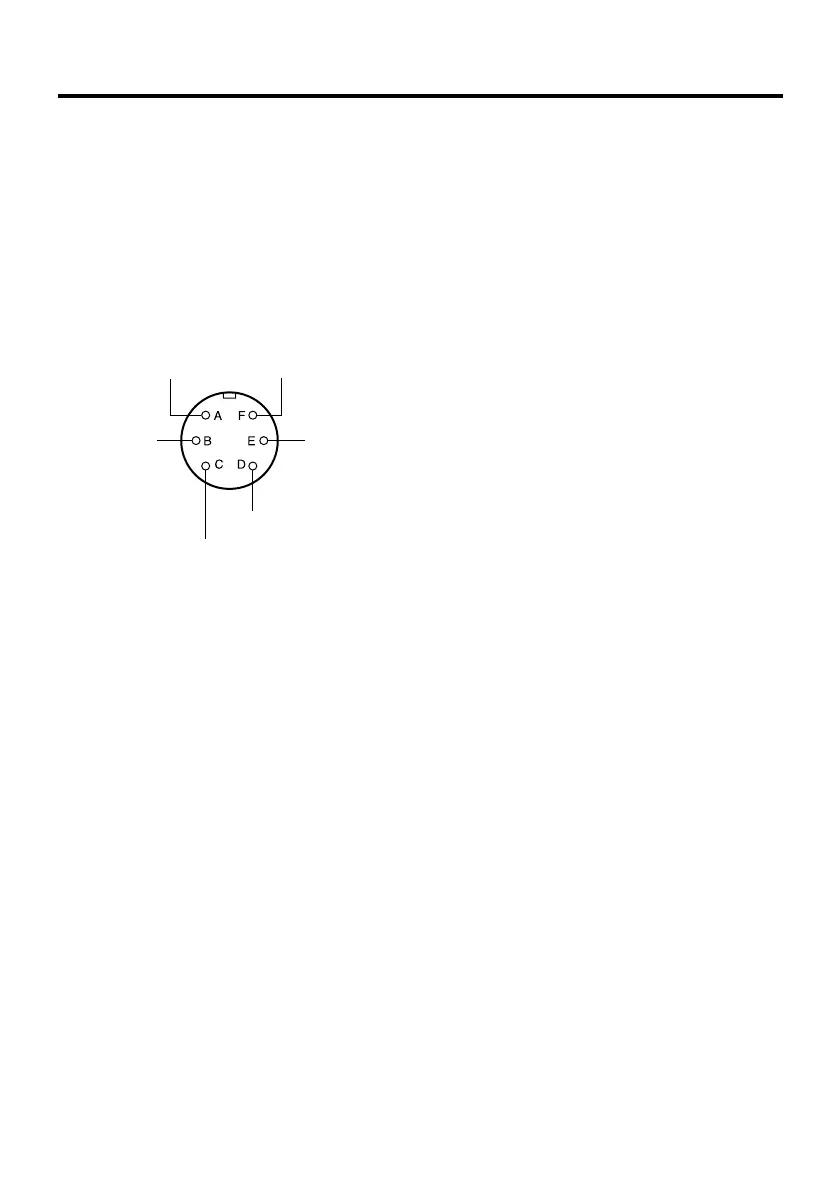
1 ND/EXT connector
This is for controlling the ND filter and
lens extender of the power lens unit.
Connect it when using a power lens unit
equipped with an ND filter and lens
extender function.
2 LENS I/F connector
This is for controlling the zoom/focus
functions of the power lens unit.
Connect the remote (zoom/focus)
control cable of the power lens unit
here.
3 SDI IN connector
This is for SDI signal input.
Using a coaxial cable (BELDEN 8281),
connect this with the SDI OUT
connector of an SDI card (AW-PB504N,
etc.) installed in the convertible camera.
4 CAMERA I/F connector
This is for convertible camera control.
Connect this to the I/F REMOTE
connector on the camera with the
supplied camera cable.
(As viewed from cable end)
ND signal
ND return
CVCC (+15V)
CGND
EXT return
EXT signal






 To Next Page