
 Need help?
Do you have a question about the Panasonic Color Television and is the answer not in the manual?
Area to record model and serial numbers for purchase verification.
Choosing a safe location considering light, heat, and airflow.
Connecting external devices and safe AC power cord usage.
Steps for installing and replacing batteries in the remote control.
Brief guide on connecting VCRs, computers, and game consoles.
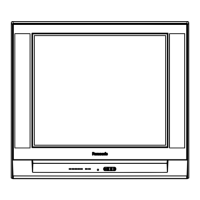
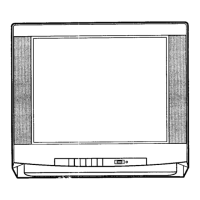
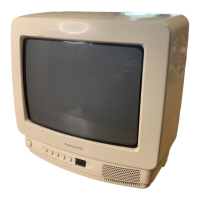
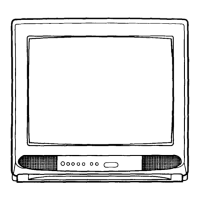
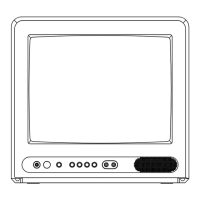
Identifies buttons and indicators on the television's front panel.
Diagram and labels for the remote control buttons.
A brief guide to operating common TV functions.
How to turn the TV on/off and adjust the sound level.
Using the mute button and changing channels via buttons or keyboard.
Using recall for status and R-tune for channel switching.
How to program and use the multi-function remote button.
How to display and navigate through the main menu icons.
Steps to change the on-screen menu language between English and Spanish.
How to adjust core picture settings for optimal viewing quality.
Restores picture settings to factory preset levels.
Reduces video noise (snow) for clearer pictures.
Automatically adjusts color based on signal variations.
Prevents viewing of specific channels or inputs for a set duration.
Instructions on how to unlock the Game Guard feature.
Automatically turns the TV off after a set period (30, 60, or 90 minutes).
Configuring the timer for automatic channel tuning and power events.
How to change the on-screen menu language between English and Spanish.
Options for displaying the main menu with text or icons only.
Activates closed captions when the mute button is pressed.
Instructions for setting the internal clock for timer functions.
Selecting the correct mode for TV or Cable signal input.
Scans and stores channels with a video signal automatically.
Manually add or delete channels from memory.
Options for displaying closed captions and their fields.
Assigning names (up to 4 characters) to channels.
Adjusting low frequencies, high frequencies, and stereo balance.
Resets audio settings like bass and treble to factory defaults.
Choosing between Stereo, SAP, or Mono audio reception.
Controlling internal speakers when connected to an external amplifier.
Regulates volume between programs and commercials for consistent output.
How to switch between TV and external video sources.
Steps to program the remote using infra-red access codes.
Connecting the TV to an external stereo audio amplifier.
Connecting VCRs or video disc players to the TV.
Instructions for safely cleaning the TV screen.
How to clean plastic/wood cabinets and the remote control.


 To Next Page
 General