
 Need help?
Do you have a question about the Panasonic CT20620T and is the answer not in the manual?
Crucial safety warning about not opening the unit to avoid electric shock.
Guidelines for CATV installers regarding proper grounding of the cable system.
Guidance on preventing screen burn-in from static images like video games or teletext.
Section for recording model and serial numbers for purchase records.
Guidance on choosing an optimal placement for the television for viewing and ventilation.
How to connect external audio/video devices using shielded cables.
Important safety precautions for inserting and using the polarized power cord.
Steps for installing batteries and precautions for battery use.
Instructions for connecting antennas (VHF/UHF) and cable TV.
Brief guide to operating basic TV functions using the remote control buttons.
Instructions for turning the television on and off.
How to adjust the sound level and mute the audio.
Two methods for selecting television channels: sequential scan and direct entry.
How to use the remote control buttons for operating VCRs.
How to switch between TV and Video input sources.
Displays various status information on screen, such as time and channel.
Instantly switches between the last two viewed channels.
Allows programming multiple functions into a single button press.
Instructions for changing the menu language to Spanish or English.
Resets picture settings like color, tint, brightness, and sharpness to factory defaults.
Steps to activate channel or input locking for a set duration (12, 24, or 48 hours).
Procedure for unlocking channels/inputs using a previously set 3-digit code.
Automatic TV turn-off feature for 30, 60, or 90 minutes.
Enables Closed Caption display when the MUTE button is pressed.
Instructions for setting the internal clock for accurate timekeeping.
Setting the correct tuning mode for TV or Cable input signals.
Automatically scans and stores available TV channels with a signal.
Manually select and store desired TV channels into memory.
Selecting between Stereo, SAP, or Mono audio reception.
Procedures for programming the remote for VCR control using codes or sequence.
Procedures for programming the remote for cable box control using codes or sequence.
Connecting the TV to an external audio amplifier for sound monitoring.
Connecting VCRs or video disc players to the TV's input jacks.
How to safely clean the picture tube using mild solutions.
Instructions for cleaning plastic parts of the TV with a soft cloth.
How to clean and maintain wood cabinets, avoiding harsh chemicals.
Cleaning instructions for the remote control transmitter.
Features that reset to factory defaults after prolonged power interruption.

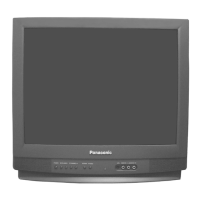

 To Next Page
 General